Table of Contents
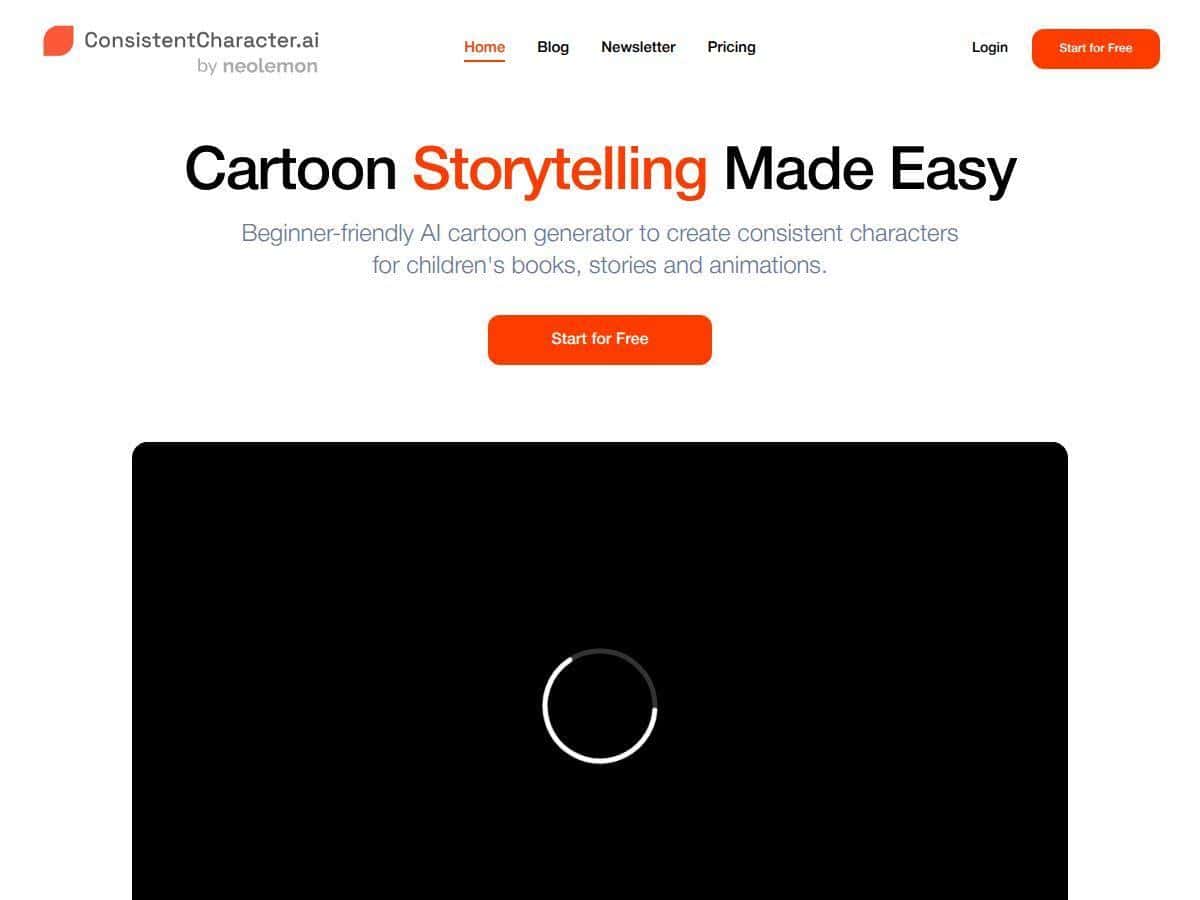
If you’ve ever tried to generate the “same” character again and again, you already know the problem: one image looks great, and the next one… somehow the outfit, face shape, or hair color drifts just enough to feel like a different person. That’s exactly why I wanted to test Consistent Character AI.
My goal was simple: take a character concept and keep it consistent across multiple outputs for an animation-style illustration set. I used it in a pretty typical workflow—upload a few reference images, generate variations, and then re-run prompts to see if the character stayed the same (especially around face, hairstyle, and wardrobe). What I noticed right away is that the interface doesn’t fight you. Upload → prompt → generate. No complicated setup.

I’ll be upfront: I can’t magically guarantee perfect consistency every single time—AI has limits and your inputs matter a lot—but I did see fewer “character drift” moments than I get with generic image generators. And when the results were off, it was usually because my prompt or reference set wasn’t specific enough, not because the tool was unusable.
Consistent Character AI Review: does it actually keep characters consistent?
Here’s what I did to test it in a way that’s closer to real work than just “click generate and hope.” I started with one character reference set (a mix of angles), then generated a small batch of images using the same base prompt. My focus was on the “sticky” traits: hair style, face shape, and clothing details.
In my experience, consistency improves when you give the model strong anchors. If your reference images are vague (or you only upload one photo that doesn’t show the hairstyle clearly), the tool can still produce something good—but you’re more likely to see changes between outputs. When I used clearer references and wrote prompts that re-mention the key traits (like “same hairstyle,” “same outfit,” “same color palette”), I got noticeably tighter results.
Also, I tested a couple different “modes” of usage: one where I leaned on the image references heavily, and another where I described the character more in the prompt. The second approach worked, but it felt easier to get drift if I got even slightly creative with wording. So yeah—if you want consistency, be specific. The tool rewards that.
One more thing: the speed is legit. I wasn’t sitting there waiting for long renders. It’s more like “generate, scan, tweak, repeat,” which matters when you’re iterating on character sheets or style variations.
Key Features (what I actually used)
- Upload-based character setup: you start by adding photos as references, then build from there instead of starting from scratch every time.
- Character feature preservation: the whole point is keeping the same person across multiple images—especially the facial look and outfit details.
- Multiple artistic styles: I tried different illustration vibes (cartoon-ish vs. more polished looks). The tool can shift styles without completely losing the character.
- Fast generation: outputs come quickly enough that you can do quick iteration cycles for concepting.
- Prompt + reference workflow: you can combine text prompts with images, which is useful when you want to control something the reference doesn’t show well (like a specific accessory).
- Detail fine-tuning options: this is where the tool gets more practical for creators. Instead of just “make it different,” you can push small changes while trying to keep the core identity intact.
To make this less abstract, here are a few concrete examples of how I used the “fine-tuning” side of things:
- Wardrobe consistency check: I generated one image with the outfit described in the prompt, then re-ran a similar prompt while changing only the background. Result: the character stayed close, but when I didn’t explicitly mention the outfit, the model sometimes swapped details (like jacket color or accessory placement).
- Hairstyle stress test: I used a prompt that repeatedly referenced the hairstyle (“same hairstyle, same hair color, same bangs”). That reduced drift a lot compared to prompts that only said “same character” without repeating the visual anchors.
- Style variation without identity loss: I kept the character description consistent but changed the art style. What I noticed is that style changes can be done without fully resetting the character—so long as your prompt doesn’t contradict the reference.
Real talk: if you want “exact same character in every frame,” you’ll still need some iteration. The tool helps, but it’s not a magic wand. Think of it as speeding up character sheet creation and reducing rework, not eliminating it.
Pros and Cons (based on what happened when I tested it)
Pros
- Easy to use right away: I didn’t have to learn a bunch of settings before I could generate consistent-looking results.
- Faster iteration than traditional character pipelines: quick rerolls help when you’re trying to lock down “the look.”
- Great for series-style characters: if you’re building a cast and want them to look like the same people across multiple images, this is a solid fit.
- Works well for illustration and animation concepts: I could see it being useful for storyboards, character sheets, and marketing-style character art.
- Style variety without losing everything: you can shift the art direction while keeping the identity more stable than generic generators.
Cons
- Consistency depends on your inputs: if your prompt is vague or your references don’t clearly show key features, you’ll get drift.
- You may bump into limits based on plan/credits: advanced consistency workflows can cost more depending on what you’re trying to do.
- Pricing clarity can be an issue: credit-based pricing is great when it’s transparent, but I found it’s worth double-checking the current plan page before committing.
- Licensing/commercial rights aren’t super obvious: I’d recommend checking their Terms of Service and any licensing/FAQ sections before using outputs commercially.
- A little trial-and-error is normal: it took me a few attempts to find wording that kept the character anchored.
Pricing Plans (how to think about cost)
Pricing for Consistent Character AI is credit-based, and that’s the part you should pay attention to—not just the monthly number. The site typically lists a plan cost and a credit amount, and then credits are used for generations/editing.
I can’t promise the exact numbers stay the same (these tools change plans pretty often), but here’s the practical way I evaluate it so I don’t get surprised:
- Start by checking the plan page for the current monthly price and included credits.
- Estimate credits per character by doing a quick test: generate 5–10 variations and see roughly how many credits that uses.
- Multiply by your project needs: for example, if you want 3 character variations per scene and 4 scenes, that’s 12 “character outputs” (and you’ll likely reroll a few times).
If you want a worked example: let’s say your test shows you burn ~1 credit per “final-worthy” image (and maybe 1–2 more for rerolls). If you’re aiming for 30 usable images, you’d want enough credits for around 30–60 generations depending on how picky you are. That’s how you avoid the “wait, why did I run out?” moment.
For the latest details, check the official website since plan names, credit bundles, and limits can change: Consistent Character AI.
Licensing note: before you sell characters, use the outputs in client work, or post commercially, I’d check the Terms of Service and any licensing/usage policy sections. In my review, the licensing info wasn’t immediately obvious from the marketing copy, so you’ll want to confirm what’s allowed for commercial use (and whether attribution or restrictions apply).
Quick wrap-up: who should try it?
I think Consistent Character AI is best for people who want faster character sheet creation and fewer “wait, why does this character look different?” moments. If you’re building a cast for a story, making characters for a series, or iterating on animation concepts, it’s genuinely useful.
If you’re the kind of creator who needs pixel-perfect identity every single time with zero rerolls, you’ll still need to iterate and you may want a more controlled pipeline. But for most creators? It’s a practical tool—especially because it’s simple to get started.
My advice: run a small test first (a character you actually care about), check how many credits it takes to get “done,” and then decide if it fits your workflow.