Table of Contents
If you’ve ever tried to find “just the right” printable coloring page… you know how annoying it can get. Random results, weird formatting, and half the time the lines are either too thick or too detailed for kids. That’s why I gave ColorPenguin a real test.
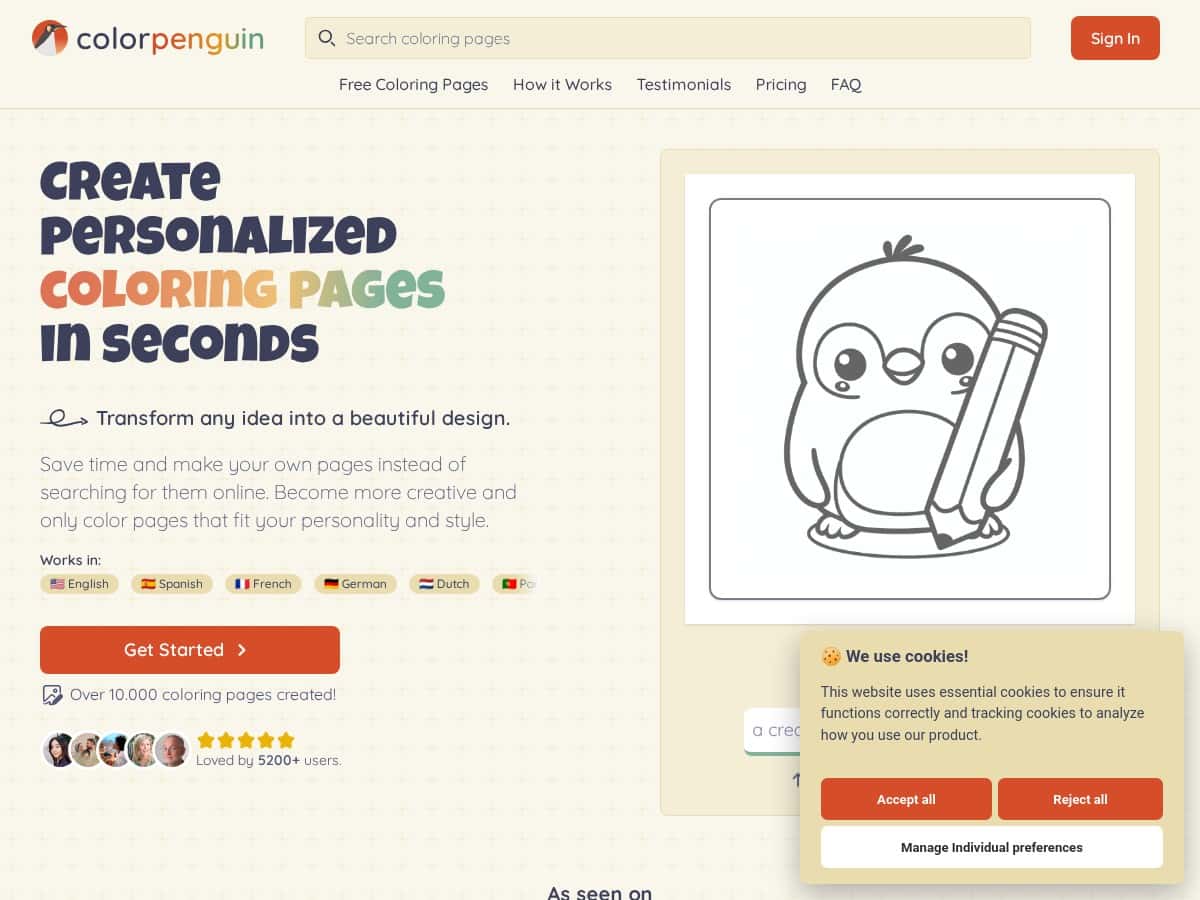
ColorPenguin is basically a prompt-to-coloring-page tool. You type an idea (or upload an image), pick a style and an age level, and it generates pages fast. I used it on my laptop in a Chrome browser and focused on a few scenarios: a kid-friendly theme for a 5-year-old, a more detailed page for older kids, and a classroom-style printable I could actually hand out.
ColorPenguin Review: what I made (and what I noticed)
I tested ColorPenguin on a weekday afternoon (around 3:30pm) because I wanted to see how “instant” it really felt when I wasn’t rushing. The workflow was straightforward: I entered a prompt, selected the style, then chose an age/complexity level. No complicated settings. No fighting with layers.
Here are the exact prompts I used and what happened:
- Prompt for preschool-friendly lines: “A friendly red apple with a simple leaf, big outline, no small details, coloring page for preschool.” I picked a beginner/preschool complexity setting and a clean cartoon outline style. Result: bold, easy-to-follow shapes. My biggest “win” here was that it didn’t try to add tiny texture bits that younger kids can’t color neatly.
- Prompt for a holiday/classroom theme: “A cute Easter bunny sitting in a basket, simple background, large sections to color, kids coloring page.” I bumped complexity slightly higher for older kids. Result: more detail in the basket and fur, but still readable. It felt like a good middle ground for kids around 7–9.
- Prompt for something that could get messy: “A mandala-style peacock with symmetrical patterns, intricate but not overwhelming.” I tried a mandala/ornamental approach. Result: lots of repeating elements and symmetry. The page looked great, but I’ll be honest—if you go too “intricate,” it can edge toward “adult coloring book” territory. For younger kids, I’d dial complexity down.
Speed-wise, the generation felt quick enough that I wasn’t doing anything else while waiting. I didn’t time it with a stopwatch, but from the moment I hit generate to when the preview loaded, it was in the “seconds to under a minute” range most of the time.
Customization: one thing I liked is that you’re not stuck with the first result. I could adjust the style and age level and regenerate without starting over from scratch. What I couldn’t do (and this matters) is “edit the drawing like Photoshop.” Once an image is generated, you’re mostly changing the prompt/style settings and regenerating. In other words: you can steer it, but you can’t easily move individual objects after the fact.
Export + print test: I downloaded both PNG and PDF versions and checked how they looked at print time. The PNG exports were clear and didn’t look blurry when zoomed in. For PDF, the page layout stayed intact—no weird cropping when I opened it in a typical PDF viewer and sent it to print on standard paper. If you’re printing for a class, that’s honestly the main thing you care about.
Key Features I actually used
- Text prompts (and image uploads) to create coloring pages quickly. I used prompts more than uploads, but the option is there if you want to convert something you already have.
- Style variety. ColorPenguin supports a large library of looks—think cartoon outline, mandala/ornamental designs, animal themes, and holiday-style illustrations. What changes with style isn’t just “coloring vibes,” it changes the line structure (how thick/thin the outlines are and how busy the page gets).
- Age/complexity control. This is a big deal for me. When I selected a simpler setting, the pages had fewer tiny details. When I went higher, the designs became more intricate without turning into scribble.
- Multiple export formats for practical use. You can export high-resolution PDF and PNG files, which makes it easy to print or share digitally.
- Language support including English, Spanish, and French. I didn’t test the non-English prompts personally, but it’s a nice option if you’re making materials for bilingual classrooms.
- Free library + generated designs. If you want inspiration, you can browse a library of existing pages, not just generate new ones.
- Privacy/copyright options tied to plans. This is where you need to pay attention depending on how you’ll use the pages.
Pros and Cons (the honest version)
Pros
- Easy to start: the prompt-to-preview flow is simple. I didn’t need tutorials or guesswork.
- Good output quality: the line art generally looks “print-friendly” and not like a random sketch.
- Age-appropriate complexity: adjusting the age level noticeably changes how detailed the page becomes.
- Useful export options: PDF and PNG exports work well for printing and sharing.
- Style variety: switching styles (like cartoon outline vs. mandala/ornamental) actually changes the feel of the page.
Cons
- Free plan limits: the free tier is capped at 5 pages per week. If you generate a lot, you’ll hit that quickly.
- Free designs may be public: that privacy detail matters if you’re creating pages for private use at home or for a class you don’t want shared publicly.
- Editing is limited after generation: you can’t easily “fix” small issues by editing parts of the drawing. Usually the workaround is to regenerate with a refined prompt or different style/age setting.
- Subscription required for advanced access: more output and private creation depend on paid plans.
Pricing Plans: what you get (and who each plan fits)
Here’s the breakdown as I understand it:
- Free plan: 5 pages per week. Best if you’re just experimenting or making a couple pages for personal use.
- Premium: $7.99/month. This increases your limit to 500 pages and includes private creations.
- Business: $29.99/month. Up to 1000 pages, plus bulk downloads and commercial rights.
One thing I’d recommend: if you need private exports (for your students, your clients, or just your own peace of mind), don’t rely on the free tier. And if you’re planning to use the pages commercially, make sure you’re on the right plan—commercial rights aren’t usually included on free options.
Wrap up
After testing ColorPenguin, my take is pretty simple: it’s a strong option when you want quick, printable coloring pages without hunting for templates or drawing everything from scratch. The age/complexity control is the standout feature for me, and the PDF/PNG exports make it easy to actually use the results.
Who should use it? Parents, teachers, and hobby artists who need lots of variations—fast. Who might want to skip it? Anyone who expects heavy post-editing like moving objects around after the design is generated.
If you’re curious, start with the free plan and see what kind of prompts work best for your style. Once you find a workflow you like, upgrading makes a lot more sense—especially if privacy or higher output matters to you.