Table of Contents
If your team is anything like mine, bookmarks don’t stay “organized” for long. One week it’s a tidy folder tree, the next week it’s 47 links called final and really final. That’s why I tried Cokeep—and honestly, it feels built for teams who want a shared place to save, find, and discuss resources.
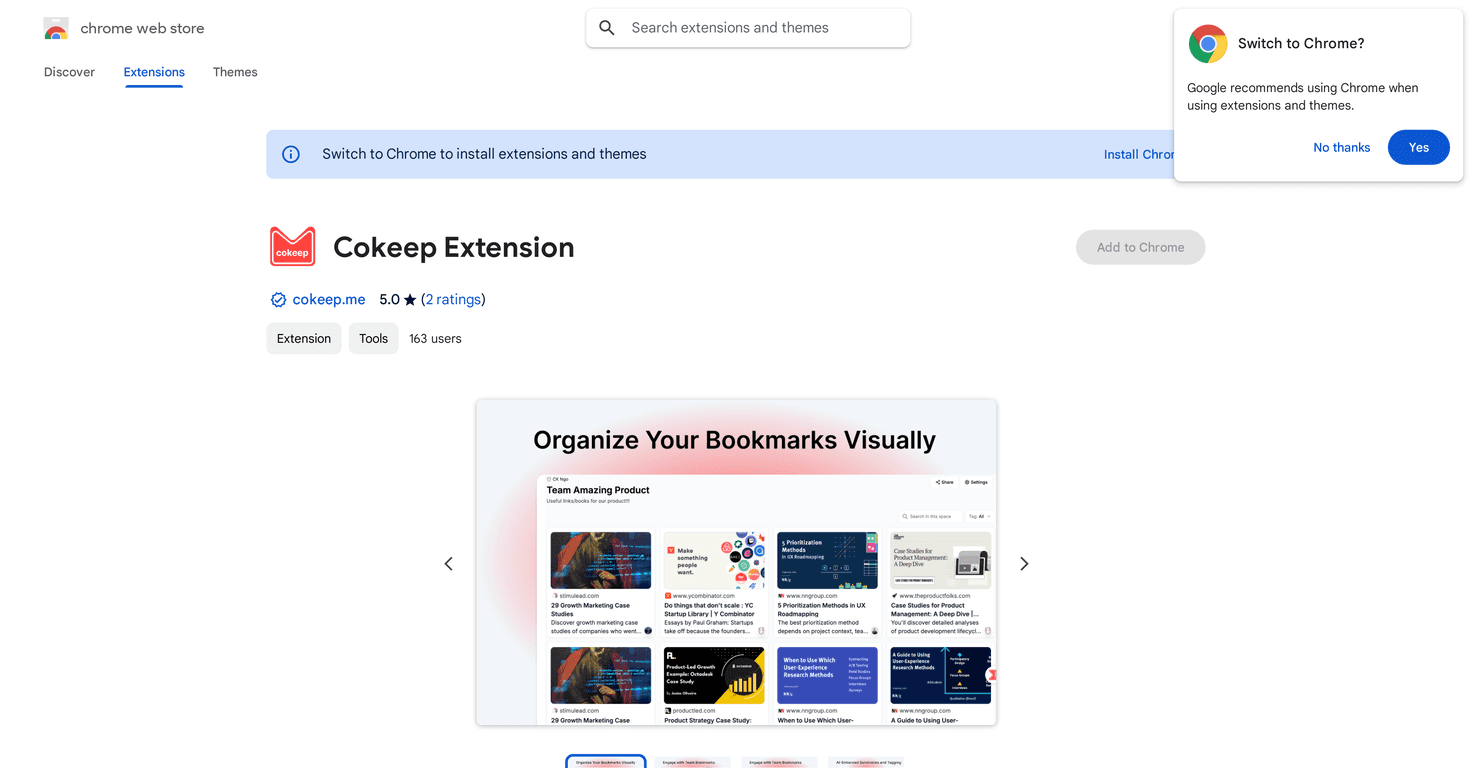
Cokeep turns bookmarks into visual boards. Instead of hunting through browser bookmarks or scattered docs, your team can drop links onto boards, comment on them, and quickly see what’s worth paying attention to. The part I used the most? The AI summaries and tagging. It’s not just “save a link”—it helps you understand what the page is about and makes it easier to categorize later.
One quick reality check: Cokeep works best when you have a stable internet connection. If your connection is spotty, some of the real-time features (like AI-generated info) can feel slower or inconsistent. It’s not a dealbreaker, but it’s something I noticed right away.
Cokeep Review
What I like about Cokeep is that it doesn’t treat bookmarking like a solo chore. The whole setup is built around teams saving the same kinds of resources—articles, references, product pages, competitor research, internal docs you don’t want to lose.
When someone saves a link, it shows up on a board where the team can react. I found myself actually using the collaboration tools (comments + likes) because it creates a lightweight “discussion” around the resource. Instead of asking in Slack, “Has anyone seen this?” you can usually just point people to the board entry.
And yes, the AI part is the headline feature. In my testing, the AI-generated summaries and categorization were helpful for speeding up triage. For example: if a link was saved for “Q3 planning” or “customer onboarding,” the summary/tagging made it much easier to decide whether to open the page immediately or file it for later.
Just keep expectations realistic. AI summaries are great for quick context, but they’re not a replacement for reading the source—especially for anything technical, legal, or high-stakes. I still skimmed the original pages before acting on anything important.
Key Features
- Visual Bookmark Organization
- Instead of a traditional bookmark list, Cokeep organizes links into boards. It’s a more “browseable” approach, which matters when you’re trying to find something fast.
- Team Engagement Tools
- Comments and likes make shared links feel alive. I noticed this reduces repeat questions because people can see what others thought.
- Easy Sharing Options
- Sharing a board (or a specific saved item) is straightforward, so you’re not relying on someone to paste the right URL at the right time.
- Diverse Media Storage
- It supports more than just plain web links, which is useful if your team saves screenshots, references, and other resource types.
- AI-Enhanced Summaries & Tagging
- This is the feature I used most. AI summaries help you understand what a page is about at a glance, and tagging makes searching through older saves much easier.
- Customizable Privacy Settings
- For teams, privacy matters. You’ll want to control who can view certain boards—especially when resources include internal notes or client-related info.
Pros and Cons
Pros
- Cleaner than typical bookmark chaos. The board format is easier to scan than a long bookmarks bar.
- Team collaboration actually gets used. Comments and likes create a feedback loop instead of “dumping links.”
- AI features save time. In my experience, summaries and tagging reduce the “open every link” problem.
- Supports multiple media types. That flexibility helps when teams aren’t only saving articles.
Cons
- Performance depends on your internet connection. If you’re on a slow or unstable network, the AI/real-time parts can feel laggy.
- Privacy considerations for sensitive material. If you’re saving confidential or client-specific info, you’ll want to double-check settings and avoid pasting anything you wouldn’t share broadly.
Pricing Plans
Pricing can change, so I recommend checking the latest details directly on the official Cokeep website. If you’re comparing plans for a team, pay attention to what’s included for collaboration (number of users, board sharing options, and any AI-related limits).
If you want, tell me how many people are on your team and what you’ll use Cokeep for (research, onboarding, content planning, etc.). I can suggest what to look for when you compare the tiers.
Wrap it up
Cokeep is a solid option if your team needs a shared bookmarking system that’s more useful than a folder tree. The visual boards, collaboration features, and AI summaries/tagging are the big wins. Just don’t expect it to replace careful reading—think of AI as the “fast context” layer, not the final authority.
For teams that constantly collect resources, it’s definitely worth testing—especially if you’re tired of link sprawl and people asking the same questions in chat.
Promote Cokeep