Table of Contents
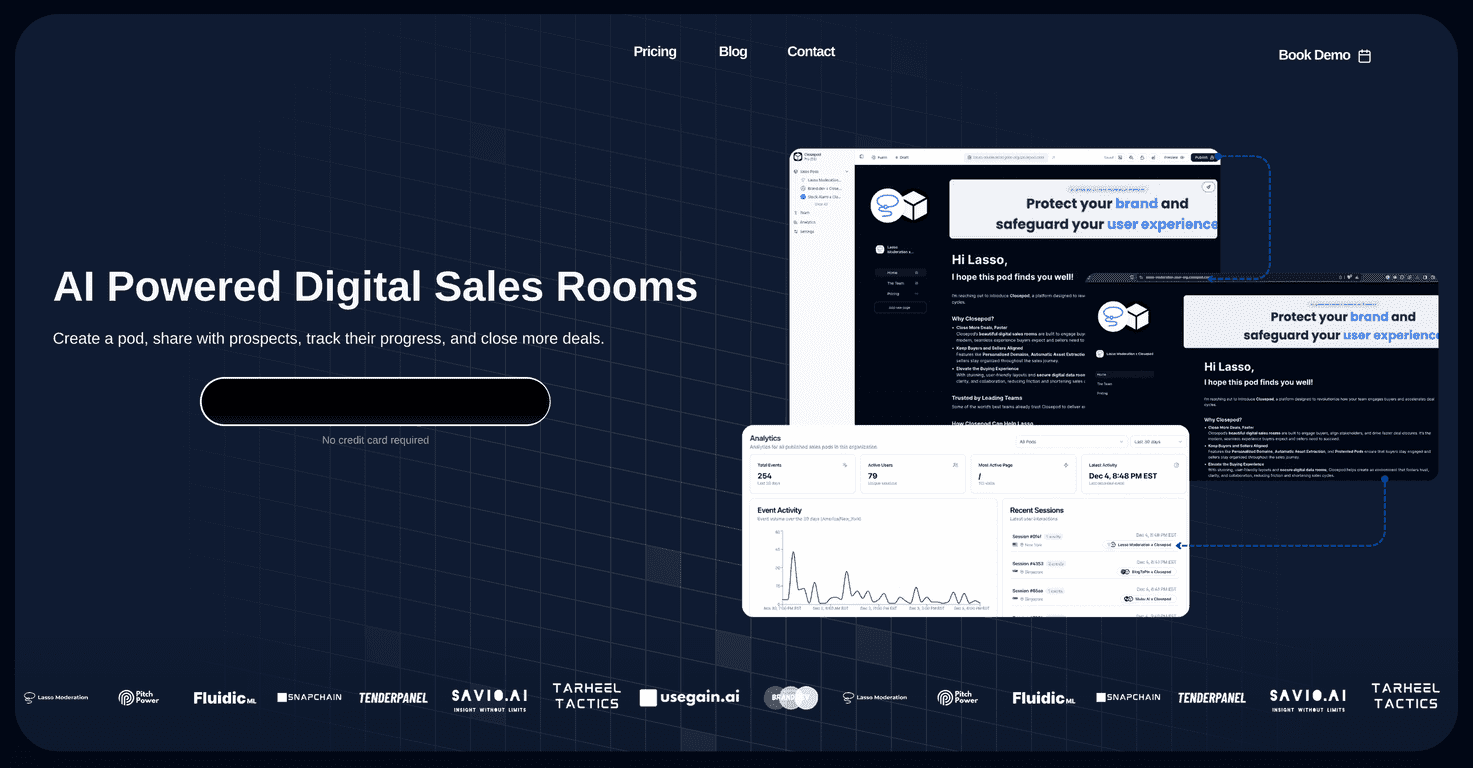
If you’re tired of sending the same “here’s our deck” email and hoping prospects actually click through, I get it. ClosePod is one of those tools that shifts sales from random link-hopping to a more guided experience. Instead of dropping assets in a messy folder or hoping your prospect finds the right page, you build a branded “pod” they can explore—kind of like a mini landing page for a specific deal or conversation.
In my experience, the biggest difference is that it feels more intentional. You’re not just sharing files. You’re creating a structured space, with access controls, branding, and engagement signals so you can tell what’s working and what’s not.
ClosePod Review: A Cleaner Way to Share Sales Assets
ClosePod’s whole premise is pretty simple: create a “pod” that’s specific to a prospect, a use case, or even a single stage of the funnel. You can then share it via a secure email link, so the content stays controlled and you don’t have to worry about random indexing or people stumbling on the wrong thing.
When I built my first pod, what surprised me was how quickly you can get from “I have a PDF and a couple links” to “my prospect has a branded space to explore.” The layout tools are straightforward, and the customization options don’t feel like you need a designer on standby.
Two things I paid attention to right away:
- Branding: you can customize things like the pod layout and the domain name, so it looks like it belongs to your company (not some generic share page).
- Asset handling: the automatic asset extraction feature helps reduce the “manual cleanup” part of sales content prep. In other words, you spend less time rearranging files and more time actually selling.
And yes—there are engagement metrics. That matters because if you’re still guessing whether prospects even opened your deck, you’re flying blind. ClosePod gives you signals so you can follow up with context instead of “Just checking in…” every time.
Key Features I Actually Look For in ClosePod
- Track Engagement: see how prospects interact with the pod so you can spot what got attention (and what didn’t).
- Personalized Domains: make the experience feel branded, not bolted on.
- Automatic Asset Extraction: speeds up media management when you’re importing content.
- Protected Pods: access via secure email links so you control who sees what.
- Beautiful Layouts: helps you present content in a clean, structured way without overthinking it.
If you do outbound, this is the kind of feature set that can make your follow-ups feel smarter. For example: “I noticed you spent time on the pricing section—want me to walk you through how it applies to your team?” That beats a generic email, every time.
Pros and Cons (Real Talk)
Pros
- User-friendly interface: building a pod doesn’t feel complicated, even if you’re not super technical.
- Engagement tracking: the engagement signals help you follow up with more than just vibes.
- Customization options: you can tailor the layout and branding so it matches your sales motion.
- Cost vs. deal value: when you compare it to the cost of losing even a single deal, the pricing can look reasonable.
Cons
- Pod limits on paid plans: the limit of 10 pods per paid plan might be tight if you run lots of simultaneous deals or have a big team creating pods constantly.
- Learning curve for power users: new users may need a little time to get comfortable with the layout/customization flow, especially if you want everything “just right.”
One more thing I’d call out: if you’re expecting a fully automated “set it and forget it” sales engine, ClosePod won’t replace your CRM or outreach tooling. It’s more like a focused sales asset experience layer—useful, but not a full replacement for your existing stack.
Pricing Plans
ClosePod’s pricing is fairly straightforward. The Basic Plan is $29 per user, per month. There’s also a Free Plan that lets you set up two pods after signup.
You can cancel subscriptions anytime, and service continues through the end of your current billing period. That’s a nice touch if you’re testing it with a small number of deals first.
If you’re evaluating whether it fits your workflow, I’d recommend counting how many pods you realistically need in a month. If you’re constantly creating new pod variations for different segments, the pod limit could matter more than the monthly cost.
Wrap up
ClosePod is a solid option if you want prospects to experience your sales content in a more structured, branded way—and if you care about engagement signals instead of blind follow-ups. The pod limits and the slight learning curve are real downsides, but the overall setup experience and customization are strong enough that I can see it helping sales teams close faster.
If you’re already sending decks, case studies, and links all day, why not put it in one place that’s easier to navigate and easier to track?
Promote ClosePod