Table of Contents
Convenience sells. That’s the part I don’t think anyone can argue with—especially when you’re running a busy shop and you don’t want customers waiting around to figure out how to order. That’s exactly why I wanted to try chatQR.ai.
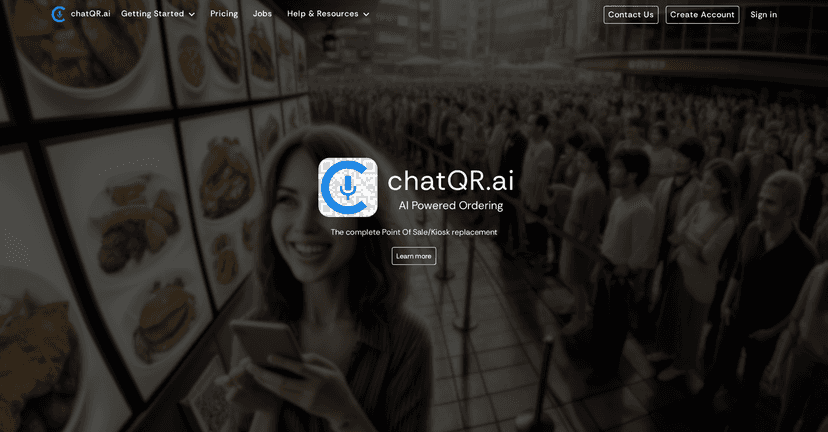
chatQR is an ordering setup that mixes QR codes with AI-powered voice ordering. In plain terms: customers scan a QR code, then place an order by speaking. No clunky kiosk menus. No “wait, where do I tap?” moments. Just a more natural way to order—at least in theory.
What I noticed right away is that this is aimed at businesses that want to modernize without rebuilding everything from scratch. If you’ve got multiple locations, it’s also built with that in mind, and it supports payments through providers like Stripe and Square.
chatQR Review: what it’s like in real life
Let me start with the simplest part: the flow. With chatQR, the customer experience is built around scanning a QR code and then using voice to place the order. In my experience, that’s a big deal because voice feels faster than tapping through options—especially when customers are holding a drink, wrangling kids, or they’re just hungry and impatient (we’ve all been there).
Where I think chatQR makes the most sense is for businesses that don’t want to rely on a traditional POS terminal or a dedicated kiosk. If you’ve ever watched someone struggle with a kiosk screen—too bright, too small, or they’re just not techy—you already know why a QR + voice approach can be a win.
For operators, the appeal is the flexibility. The platform is positioned as something that can integrate with existing systems and workflows instead of forcing you into a full rebuild. And if you run multiple locations, having real-time order management matters. Nobody wants orders “eventually” showing up, right?
On the payments side, chatQR supports international payment options via providers like Stripe and Square. That’s the kind of detail that matters for restaurants, cafes, and retail spots that get tourists or customers paying from different regions.
Key Features I’d actually care about
- AI-operated voice ordering — customers speak their order instead of navigating menus.
- QR code access — you can put QR codes on tables, counters, or signage so ordering is always one scan away.
- POS/kiosk replacement (or reduction) — the goal is to reduce dependence on dedicated hardware.
- Integration options — designed to work with your existing setup rather than starting from zero.
- Multi-location management — helpful if you’re rolling this out across more than one store.
- International payment support — supported through payment providers like Stripe and Square.
- Setup guides — you don’t want to guess how to configure menus and ordering flow.
- In-person ordering + payment support — built for the “at the counter / at the table” reality.
Pros and Cons (no sugarcoating)
Pros
- Feels more modern than a kiosk. Voice ordering can cut down the “tap-tap-tap” friction.
- Less hardware dependency. You’re not stuck buying/maintaining a bunch of POS terminals just to take orders.
- Integration-friendly approach. The platform is meant to fit into what you already do.
- Payment flexibility with providers like Stripe and Square.
- Setup resources are available, which matters more than people think when you’re busy.
Cons
- Not everyone will love voice. Some customers still want the “traditional” way—especially older customers or anyone who doesn’t want to speak to a system.
- Staff training is real. Even if customers use it themselves, someone needs to handle edge cases, like unclear orders or payment questions.
- Workflow adjustments may be necessary. If your kitchen or staff processes are built around your current POS timing, you’ll likely need to tweak how things come in and how confirmations work.
- Voice ordering accuracy depends on the context. In noisy environments (busy dining rooms, music blasting, kitchen chaos), customers may speak less clearly. That’s not a dealbreaker, but it’s something you should plan for.
Pricing Plans: what to expect
chatQR.ai doesn’t list full pricing details in the content I reviewed. What I recommend (and what I’d do as a buyer) is to head to their pricing page and request the exact plan for your setup. The right cost usually depends on things like the number of locations, how you want to handle menu complexity, and which payment flow you’re using.
If you want the fastest path to clarity, ask for:
- Any setup fees (if they exist)
- Monthly/annual pricing structure
- Limits around locations, orders, or menu items
- Whether integrations are included or billed separately
That way, you’re not comparing apples to oranges.
Wrap up
Overall, I think chatQR is a strong concept if you want to modernize ordering without turning your store into a tech project. The QR + voice combo is genuinely promising, especially for in-person ordering where speed and simplicity matter. Just don’t ignore the practical side—staff training and workflow tweaks are usually unavoidable with any new system.
If you’re looking for a more user-friendly ordering experience (and you’re ready to support customers who may not be into voice ordering), chatQR is worth taking a close look at.



