Table of Contents
Let me guess—you open your inbox and it’s already a mess. New emails stacked on top of old ones, newsletters you never asked to read “again,” and the few messages you actually care about somehow get buried. I’ve been there, and it’s exhausting.
That’s exactly why I decided to test Breezemail v2. The pitch is simple: it uses AI to spot your important emails and keep them visible, while everything else gets organized into smarter categories so you’re not constantly hunting through the clutter.
In my experience, the biggest win isn’t just “filtering.” It’s the way Breezemail tries to make your inbox feel calmer—like it’s doing the sorting work for you, instead of you doing it manually. In this Breezemail v2 review, I’ll walk through what it actually does, where it surprised me, and what I think you should watch out for before you install it.
Breezemail v2 Review
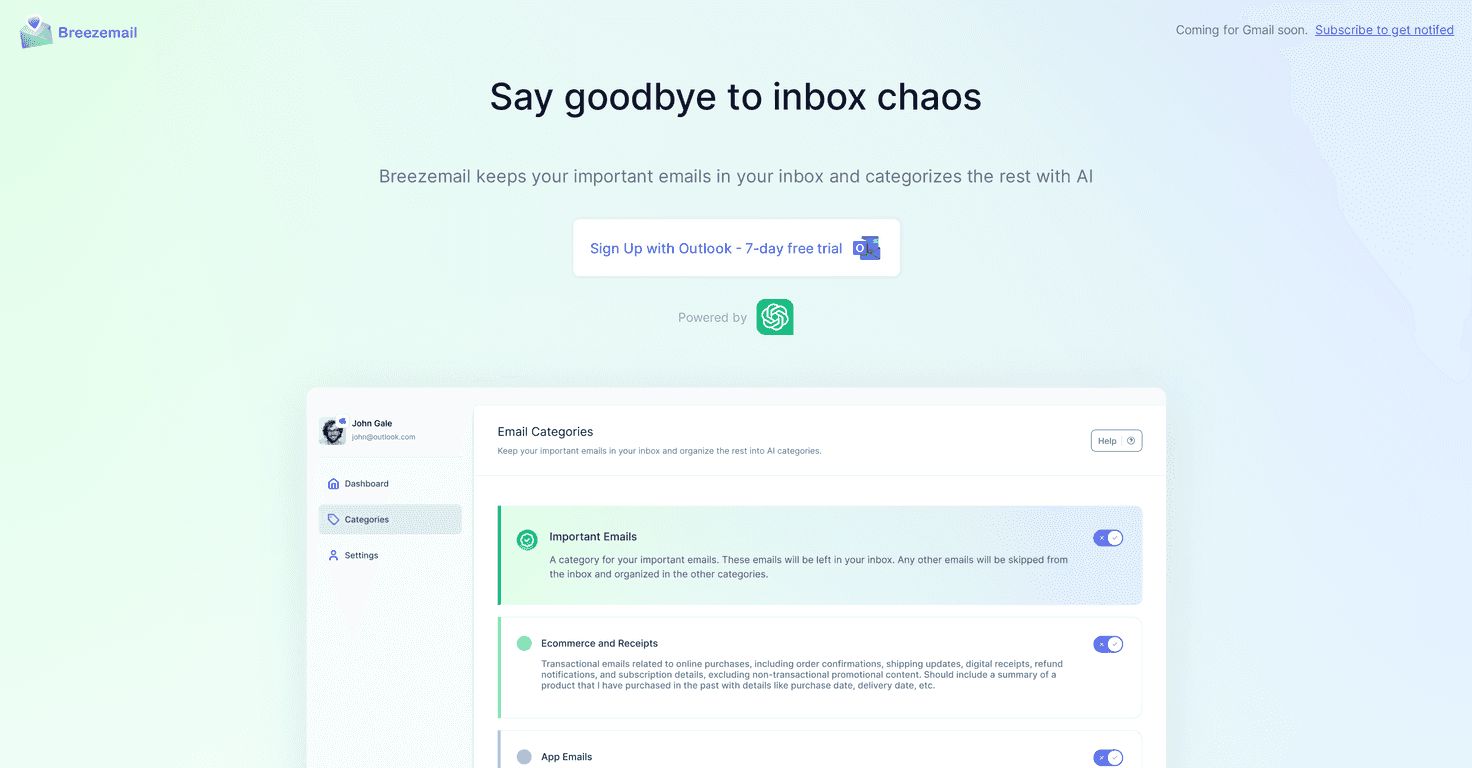
Breezemail v2 is built to make email management feel less like a chore. Instead of you setting up a bunch of filters and rules, it tries to automatically recognize what’s important and keep those messages front and center. The rest of your inbox gets sorted into categories, so you can skim without losing time.
One feature I actually liked is the ability to create custom AI categories. You can type what you want in plain language, and Breezemail will try to apply that logic to incoming mail. It feels more like “tell it what you mean” than “configure a complicated filter.”
And if you don’t want to build your own categories, you’re not stuck. Breezemail also includes predefined options like Newsletters, Promotions, and Travel. That’s a nice middle ground—especially if you just want quick results without tinkering.
Another thing that matters: it integrates with major email providers, including Gmail and Outlook, as add-ons. No huge migration. In my case, that meant I could try it without changing how I already work.
Plus, there’s a 7-day free trial so you can see how it handles your specific inbox before committing. Honestly, that’s the part I always look for—because AI sorting can be great… or it can be annoying if it misreads your priorities.
Key Features
- AI Email Categorization that identifies and labels important emails so they’re easier to spot
- Custom AI Categories where you can create your own rules using natural language (no complicated setup)
- Predefined Categories like Newsletters and Promotions when you want to move fast
- Gmail and Outlook support via add-ons, so you can keep your existing workflow
- 7-Day Free Trial with no credit card required
Pros and Cons
Pros
- Less inbox clutter. The sorting does a lot of the heavy lifting, so your “real stuff” is less buried.
- Custom categories are genuinely useful if you take the time to describe what you mean (for example: “client invoices” or “event confirmations”).
- It’s simple to use. I didn’t have to build a complicated system from scratch.
- Free trial gives you time to test how Breezemail handles your emails specifically.
Cons
- AI can misclassify sometimes. If you get a lot of mixed-topic emails, there’s always a chance something lands in the wrong category.
- Company email compliance may be a concern depending on where you work and what policies you have in place.
- Privacy and internet dependence. Like most AI-assisted tools, it requires an internet connection, and it’s worth being thoughtful about what data you’re sharing.
Pricing Plans
Breezemail v2 runs on a $12/month subscription. You can sign up directly through your Gmail or Outlook account, which is convenient if you don’t want another login to manage.
Wrap up
After using Breezemail v2, my take is pretty straightforward: it can make your inbox feel way more manageable, especially if you’re tired of manually sorting newsletters, promotions, and the occasional “important” email that keeps getting buried. The custom categories are a standout, and the Gmail/Outlook add-on approach is practical.
That said, I wouldn’t treat it like magic. AI categorization isn’t perfect, and if you rely on strict compliance for company email, you’ll want to double-check what’s allowed. Still, if you want an easier way to organize your inbox and you’re willing to test it for a week, Breezemail v2 is worth a shot.
Promote Breezemail v2



