Table of Contents
If you’re trying to pick a language-learning app that doesn’t feel like homework, Avatalks is definitely worth a look. I tested it on my laptop (Chrome) with a decent Wi‑Fi connection for about a week, and I focused on Spanish as my target language. My starting point wasn’t “absolute beginner,” but I also wasn’t fluent—I’d say I was around CEFR A2-ish (comfortable with basic sentences, but I still stumble on verb forms and listening).
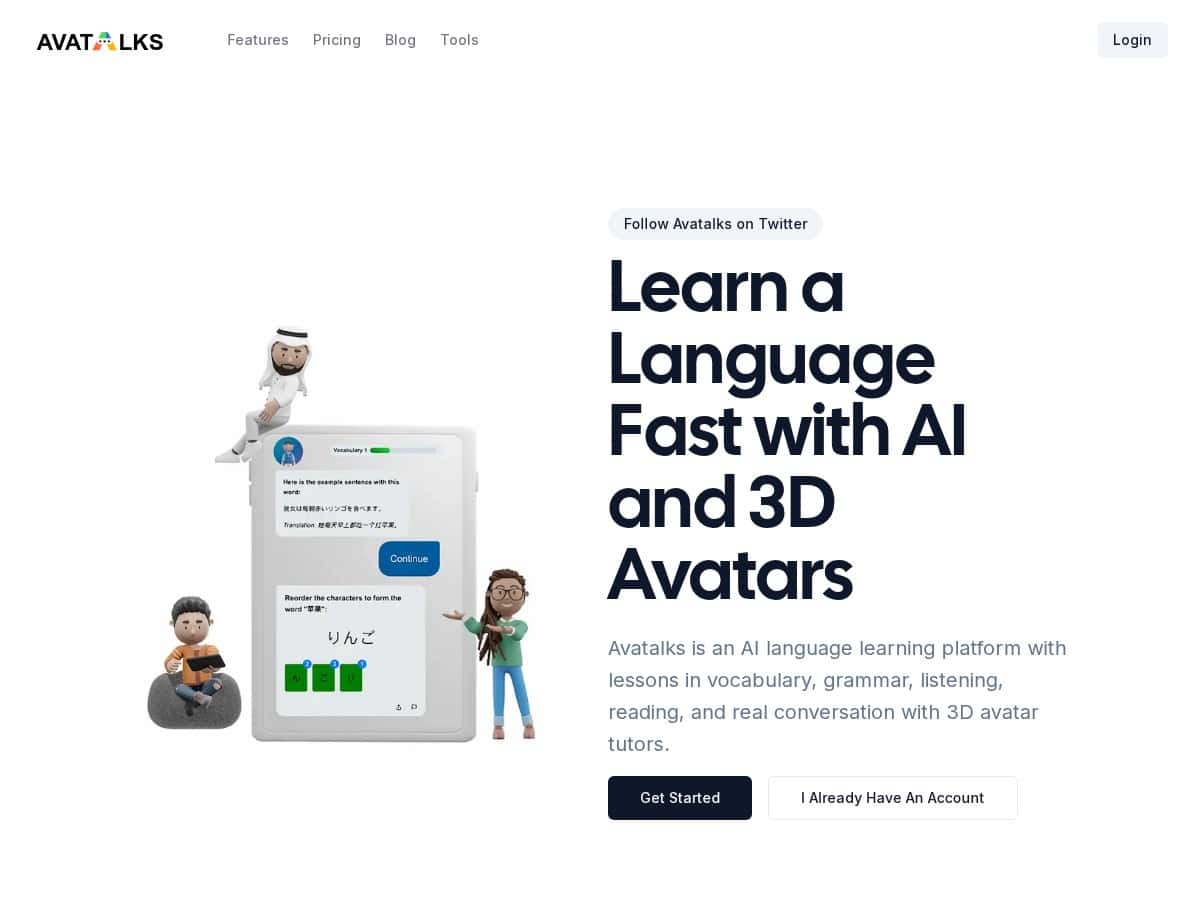
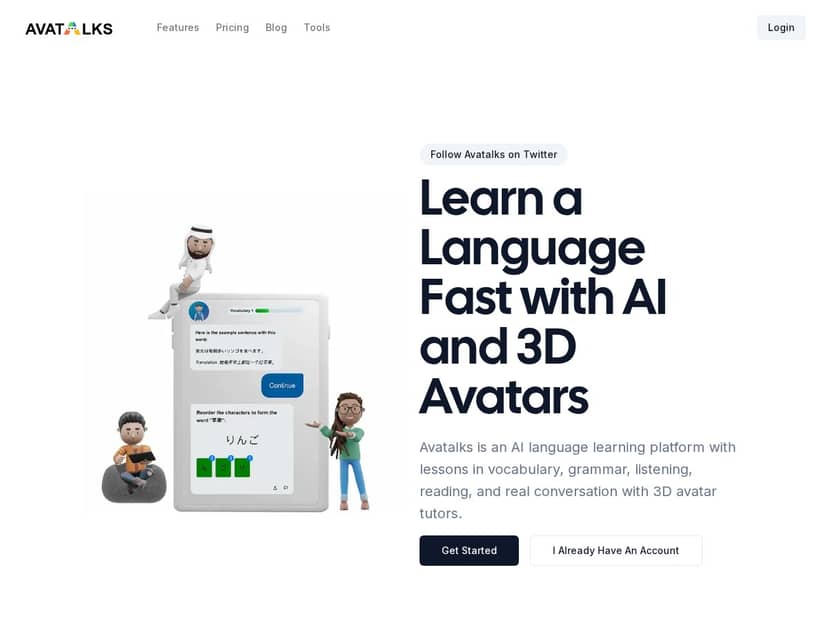
What stood out right away? The 3D avatars make the practice feel less like clicking through exercises and more like you’re actually talking to someone. And the AI feedback wasn’t just “good job”—it corrected specific things I said, which is what I care about most. That said, it’s not perfect. If your internet is flaky, the experience can get annoying, and the language lineup is smaller than some bigger competitors.
Avatalks Review: What It’s Like to Use (Not Just the Pitch)
I’m picky about language apps because most of them either (1) feel too “scripted,” or (2) correct you in a vague way that doesn’t actually help. Avatalks felt closer to the real conversation side of learning—mainly because of the AI avatar setup and the way sessions are structured.
Here’s what I did during my testing:
- Timeframe: about 7 days
- Device: laptop (Chrome)
- Target language: Spanish
- Starting level: self-assessed around A2
- Daily habit: 15–25 minutes, usually 1–2 practice sessions
After a few days, I noticed I was making fewer “basic” mistakes when speaking out loud—especially around common verb patterns and sentence order. That wasn’t magic. It was the feedback loop. I’d say something, get corrected, then immediately try again with the right phrasing.
One small but real thing I appreciated: the app doesn’t just throw you into advanced topics. It tries to keep you in a lane where you can improve without constantly feeling lost.
Key Features: The Practice Modes and How the AI Avatar Actually Helps
Avatalks is built around a pretty simple idea: you learn language skills through different types of practice, then you use the AI avatar to make it feel like a conversation. It’s not just “listen and repeat.” The modes matter.
1) Six Practice Modes (and what each one feels like)
- Vocabulary — You’re typically working with word/phrase sets and short recall tasks. What I liked is that it doesn’t just list translations; it pushes you to use the words in context.
- Grammar — This is where I saw the most direct improvements. Corrections tended to focus on the specific structure I got wrong (for example, tense or agreement), not random “you made a mistake” messages.
- Listening — Instead of long, overwhelming audio, the app kept things bite-sized. I’d get a prompt, listen, and then respond or complete the next step.
- Reading — The reading exercises felt more like reinforcement than a test. I could usually understand the core idea without needing to stop every line to look things up.
- Writing — This mode is useful if you want to slow down and think. I noticed it encouraged more complete sentences instead of fragment answers.
- Chat — This is the “conversation” mode, and it’s where the 3D avatar experience really comes alive.
2) AI avatar conversations (turn-taking + corrections)
The AI avatar part is the headline, but it’s also the most practical feature. In my experience, the conversation flow works like this: the avatar prompts you with a question or scenario, you reply, and then you get feedback right away. The corrections weren’t only about spelling—they targeted things like:
- Verb tense when I used the wrong time reference
- Sentence structure when my word order was off
- Common phrasing where a more natural option exists
Here’s one concrete example from my testing: I responded to a prompt about what I did yesterday using a tense that made sense in my head, but sounded wrong. The app corrected the tense and then showed a more natural version of the sentence. The next attempt felt easier because I wasn’t guessing—I had a target to repeat.
Also, if you’re the type who worries about sounding “stupid,” the avatar format helps. It’s less intimidating than talking to a real person on day one.
3) Adaptive learning based on your native language
Avatalks supports multiple languages and uses your native language to guide the difficulty and practice emphasis. I can’t see the exact algorithm, but I can tell when a program is “thinking” about my likely mistakes. In Spanish, that meant I got more support around areas that typically trip up English speakers (articles, verb agreement patterns, and tense usage).
4) Progress tracking (streaks + charts)
I’m a sucker for streaks, so the streak meter and charts motivated me to keep going. More importantly, the progress tracking made it obvious what I’d practiced and what I’d skipped. That’s huge—because if you don’t track, you can accidentally “feel productive” while avoiding the weak spots.
Pros and Cons: What I Liked, What Didn’t Quite Work
Pros
- AI avatar chat feels more natural than typical drills. I actually wanted to continue because it felt like conversation practice, not just answering prompts.
- Corrections are specific enough to be useful. In my sessions, feedback often pointed to the exact grammar/tenses I messed up, not vague coaching.
- Balanced skill coverage. The six practice modes cover vocabulary, grammar, listening, reading, writing, and chat—so you’re not stuck only doing one thing.
- Progress tracking helps you stay consistent. The charts and streaks made it easier to build a routine instead of doing random sessions.
Cons
- You really do need stable internet. When my connection dipped, the experience slowed down. If you’re on spotty Wi‑Fi, this could frustrate you.
- Language options are more limited than some competitors. If you’re learning a less common language, you might not find your choice here.
- It’s still practice, not full immersion. You’ll improve faster if you combine Avatalks with real input (music, podcasts, or short videos). The app helps, but it won’t replace outside exposure.
Pricing Plans: What You’ll Pay (and Where to Check)
Pricing can change, so I always recommend verifying the latest numbers directly on the official site. For the most up-to-date options, check: https://avatalks.com/pricing.
During my review, the main structure I saw was a subscription model (often yearly for better value), with access to unlimited lessons, chat practice, and progress insights as part of the package. If you’re deciding between monthly vs yearly, my advice is simple: go monthly first if you’re not sure you’ll stick with it for at least a month.
Quick decision tip: If you can commit to 15–30 minutes most days, the yearly plan usually makes more sense. If you’re just testing the waters, don’t lock yourself in too early.
Wrap up
Avatalks is one of the more engaging language apps I’ve tried because the 3D AI avatar makes practice feel like actual conversation. In my week of use, I saw the most improvement in areas where the app gave targeted corrections—especially grammar and how sentences are formed. It’s not flawless (internet matters, and the language list isn’t huge), but if you want an interactive, feedback-focused way to learn, it delivers.
If you’re the type who learns best by talking and getting corrected in real time, Avatalks should feel pretty natural. If you prefer offline study or want a massive catalog of languages, you may need to compare it with a few alternatives before committing.



