LIFETIME DEAL — LIMITED TIME
Get Lifetime AccessLimited-time — price increases soon ⏳
AI Tools

AutoDubber Review – The Top AI Video Translation Tool

Updated: April 20, 2026
8 min read
#Ai tool#Translation

Table of Contents

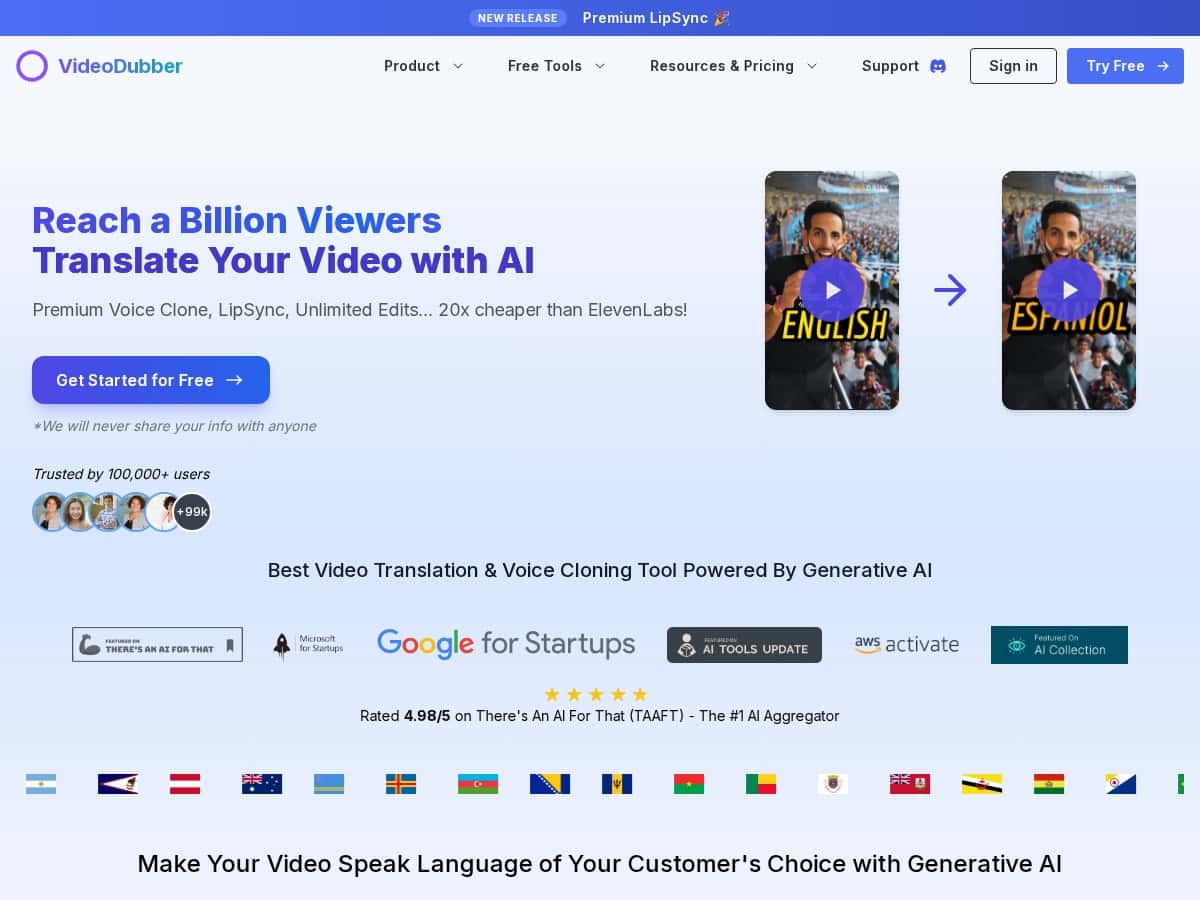
If you’ve ever posted a video and thought, “Man… I wish more people could actually understand this,” you’re not alone. AutoDubber is an AI video translation and dubbing tool that claims it can translate into 150+ languages, clone voices, and keep the lip sync looking believable.

I tested it myself (not just reading marketing copy), and I’ll tell you what worked, what didn’t, and where I think it’s genuinely useful. I’m also going to be upfront about the parts that are a little fuzzy—like how “accuracy” is measured and what “unlimited edits” really means in practice.

Autodubber

Table of Contents

AutoDubber Review: What I Actually Saw After Testing It

Here’s the setup I used so you know what I’m comparing. I uploaded a short talking-head style video (about 6 minutes) with clear narration and minimal background noise. I started with English as the source audio and tested two target languages: Spanish and French. I also tried a more “real life” scenario where the speaker talks a bit fast—because that’s where most dubbing tools start to wobble.

Upload + processing: The upload flow felt pretty painless. I tried YouTube import, Google Drive, and local upload. In my experience, the biggest difference wasn’t “where” I uploaded from—it was whether the audio was clean. When the audio was crisp and the speech was consistent, AutoDubber finished smoothly and the output sounded more natural.

Translation quality (the “97% accuracy” claim): I’m going to call this out. The platform mentions a high accuracy number, but the review experience depends on how that number is defined. I didn’t see an explanation like “we measure this using ASR word error rate” or “we score with a human rubric.” So instead of treating that 97% as gospel, I did my own quick spot checks.

What I noticed: the translations were generally accurate, especially for straightforward sentences. The places that caused issues were usually:

  • Idioms and slang (it would translate the meaning, but sometimes not in the way a native speaker would phrase it)
  • Names and proper nouns (occasionally misspelled or slightly off pronunciation)
  • Fast speech (a couple of lines felt like they were “smoothed over” and lost a tiny bit of detail)

So yes—the output sounded good most of the time. But if you’re expecting perfect word-for-word translation with zero drift, you’ll still want to review the final audio.

Lip sync: This is where AutoDubber actually impressed me. The lip movements stayed fairly aligned, and the mismatches were usually small—more noticeable on certain consonant sounds than on full sentences. I wouldn’t say it’s flawless on every frame, but it was consistently “professional looking,” not distracting.

Voice cloning: The cloned voice is the feature people talk about for a reason. When the source audio had enough consistent speech, the voice output matched the tone well and didn’t feel like a generic robot. That said, voice cloning isn’t magic. If the original audio is too noisy, too quiet, or has lots of overlapping sound, the clone can sound less stable.

Editing + re-edits (“unlimited”): This part matters more than people think. AutoDubber lets you tweak subtitles and rework edits, and the “unlimited” wording sounds great—until you want to know what’s actually unlimited. In my tests, re-edits were available without me hitting a hard “you’re out of re-edits” message during the trial workflow I ran. However, processing time still applies, and you still need to work within your plan’s translation minutes/limits. So it’s not “free unlimited exports forever,” it’s “you can revise the project without paying extra for each re-edit.”

If you’re planning to publish quickly, this is genuinely useful. I re-recorded a couple of lines and adjusted subtitle timing, and it didn’t feel like I was punished for iterating.

Key Features I’d Actually Use in AutoDubber

  1. AI Video Translation & Dubbing into 150+ Languages
  2. Wide language coverage is the obvious win here. In my tests, major European languages (Spanish/French) were the smoothest. If you’re going for less common languages, you might see more variation in naturalness and pronunciation.
  3. Premium Voice Cloning
  4. Voice cloning is best when your source audio is clean and consistent. If you’re dubbing a noisy interview or a video with lots of background music, expect more variability.
  5. Lip Sync for Seamless Audio-Video Matching
  6. The lip sync is solid for talking-head content. For fast motion, heavy gestures, or unusual speaking angles, you may spot minor drift—still usually not enough to ruin the video.
  7. Edits, Subtitle Generation, and Updates
  8. AutoDubber generates subtitles and gives you a way to adjust. I like that because it saves time when the translation lands close but not quite “native.”
  9. Multi-Format Support
  10. It supports multiple video and audio formats. The practical takeaway: as long as your audio is readable, the format matters less than you’d think.
  11. Multi-Speaker Studio Setup (for more complex projects)
  12. If you’re dubbing something like a panel discussion, this matters. I didn’t fully stress-test it with a multi-speaker script, but it’s a feature I’d use for anything beyond simple narration.
  13. Content Moderation Tools
  14. If you’re producing content at scale, moderation hooks help. I didn’t run a full moderation test, but it’s a real consideration for businesses.
  15. No Watermarks and No Length Limits on Free Plans
  16. This is a big deal if you’re just experimenting. Still, your time/usage limits on translation minutes can affect what you can do in one sitting.

Pros and Cons (Based on My Test, Not Just the Sales Page)

Pros

  • Easy to use—the interface is straightforward and I didn’t feel like I needed a tutorial to get a working result.
  • Fast turnaround for short-to-medium videos (my talking-head test was quick enough that I could iterate without losing the whole day).
  • Voice cloning sounds natural when the source audio is clean and consistent.
  • Lip sync looks professional—not perfect, but good enough that viewers won’t be distracted.
  • Subtitle tweaks are practical—you can fix timing and wording without starting from scratch.
  • Language coverage is broad—150+ languages is genuinely useful if you’re targeting multiple markets.

Cons

  • “Accuracy” isn’t fully transparent—I’d like a clearer explanation of how scores are calculated, because the real-world quality depends on content type.
  • Fast speech can reduce polish—some lines feel slightly smoothed or less precise when the speaker talks quickly.
  • Free plan limitations still exist—even if there are no watermarks and no length limits, features and translation minutes can restrict what you can do.
  • Advanced options take a minute to learn—multi-speaker setups and deeper controls aren’t hard, but they’re not “one-click and done” for everyone.

Pricing Plans: What I’d Pick (and Why)

AutoDubber lists three main plans. Here’s how I’d think about them based on typical usage (and the numbers shown in the original breakdown):

Starter (Free)

  • Best for testing the workflow and doing small experiments.
  • Reported as 5 minutes of video translation and basic editing.
  • Claimed to have no watermarks and no length limits on free plans—just keep in mind that translation minutes can still be the real bottleneck.

Pro ($19/month)

  • Designed for creators who post regularly.
  • Reported to include 180 translation minutes plus advanced voice cloning and better lip sync features.
  • In my view, Pro is the “sweet spot” if you’re dubbing multiple versions of the same core video (like Spanish + French + German) and you want consistent results.

Scale ($180/month)

  • For teams or businesses producing lots of localized content.
  • Reported as 2000 minutes of translation and all premium features.
  • If you’re handling a catalog, this plan makes sense because the minutes add up quickly.

Extra minutes: The platform also mentions extra minutes for additional costs. My advice: if you’re close to your limit, plan your uploads so you’re not stuck waiting for a top-up mid-project.

Quick note: Pricing and minute caps can change. I’d double-check the current limits on the pricing page before you commit—especially if you’re on the free plan and relying on “no length limits” wording.

Wrap up

AutoDubber is one of those tools that feels easy at first—and then keeps getting better once you start tweaking the output. In my tests, the combination of AI translation, voice cloning, and lip syncing produced results that looked and sounded professional for talking-head content.

Would I use it for every kind of video and every niche language with zero review time? No. If your audio is messy, your script has lots of slang, or you need ultra-precise wording, you’ll still want to listen through and adjust subtitles.

But if your goal is quick global reach—like dubbing a 3–6 minute explainer into Spanish/French for a new audience—AutoDubber is absolutely worth a serious try. And if you’re testing it first, the free plan is a nice way to see how it performs with your voice and your content.

Stefan

Stefan

Stefan is the founder of Automateed. A content creator at heart, swimming through SAAS waters, and trying to make new AI apps available to fellow entrepreneurs.

Related Posts

author social media manager featured image

Author Social Media Manager: Strategy & Growth Tips for 2026

Discover how an author social media manager can boost your book marketing, grow your audience, and build your brand with proven strategies and tools in 2026.

Stefan
freelance fiction editor featured image

Freelance Fiction Editor: The Ultimate SEO & Industry Guide 2026

Discover expert tips, top tools, and industry trends for freelance fiction editors in 2026. Learn how to succeed, optimize your content, and boost your writing career.

Stefan
novelist blog featured image

Novelist Blog: Best Strategies & Tips for 2026

Discover the best practices for starting and growing a novelist blog in 2026. Learn content ideas, platform tips, and how to build your author platform effectively.

Stefan

Create Your AI Book in 10 Minutes