Table of Contents
Here’s a fun (and slightly annoying) truth: most people walk past tables fast. So when I see a convention floor where everyone’s using the same “flat table + back banner” setup, it doesn’t just blend in—it basically disappears. That’s why I’m a big believer in author table display design that’s built to be noticed from 10–15 feet away.
Quick reality check, though: the retractable banner thing is common for a reason. I’ve noticed it everywhere—from smaller indie shows to bigger genre conventions—because it’s fast, it folds down, and it looks “official.” But visibility isn’t only about having a banner. It’s about what your table says in the first 3 seconds.
Key Takeaways (the stuff I’d actually do)
- •Think of your table like a storefront window: clear message first, pretty details second.
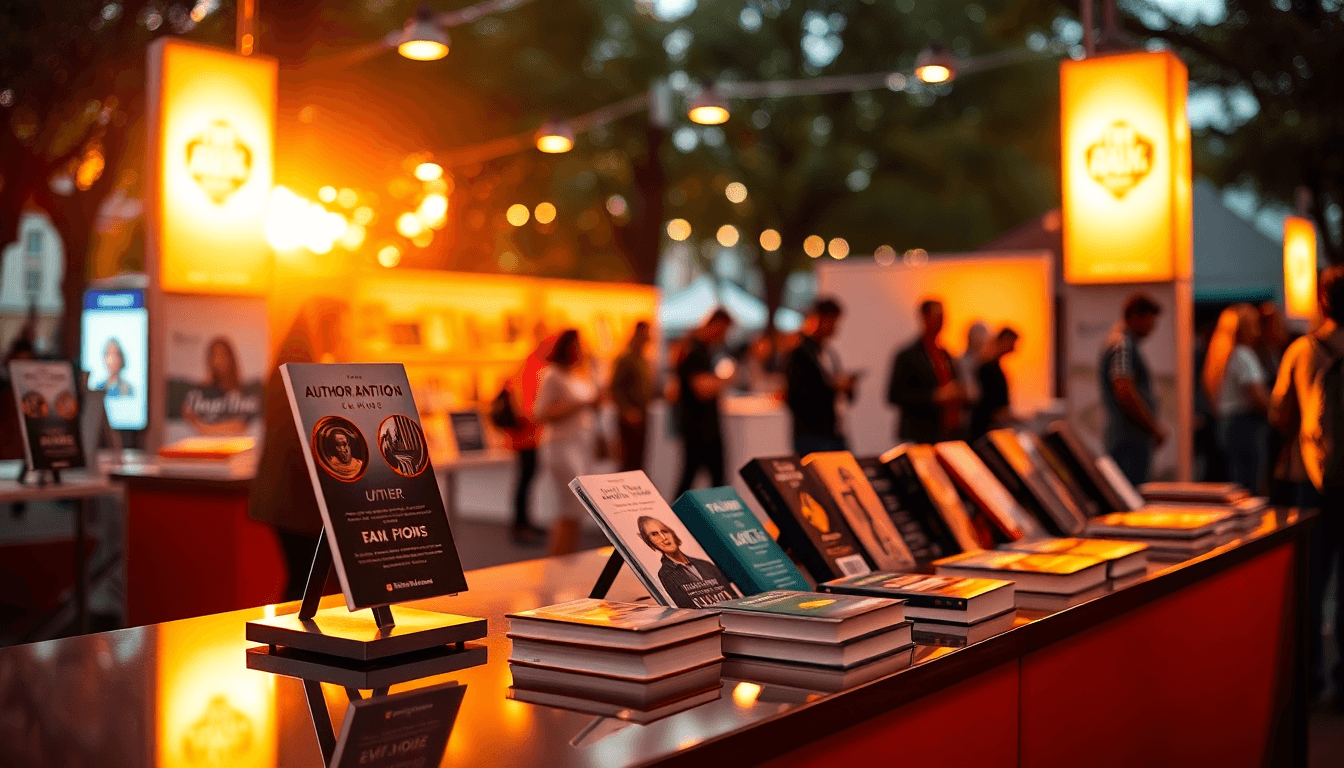
- •Use height variation (risers, angled displays) and face-out covers so the right books are visible without people leaning in.
- •Make signage do the heavy lifting: genre in big type, “start here” guidance, and simple branding.
- •Freebies and QR codes belong at the front—right where someone’s eyes land when they pause.
- •Avoid clutter. Too many covers, too many flyers, and too much text usually means fewer conversations.
Author Table Display: What Actually Gets People to Stop
When I set up my first “real” author booth, I made the classic mistake: I focused on having everything I owned out on the table. It looked impressive for me. For everyone else? It was just noise.
What changed everything was how I treated the display like a quick sales pitch. I started designing from the visitor’s point of view: where their eyes land when they walk by, where they stand when they stop, and what they need to understand instantly (genre, series order, and how to buy).
And yes—freebies matter. I’ve seen it in multiple events: when there’s something small and useful right up front (a bookmark, a character card, a mini “starter guide”), people are more likely to pause long enough to look at your books. But the giveaway has to match your audience. A random flyer rarely helps.
As for digital integration, QR codes are still the easiest “bridge” between your table and your online presence. In my experience, the best use isn’t “scan for everything.” It’s one scan that leads to one clear thing: a newsletter signup, a “start here” landing page, or a single-page book catalog.

How to Display Search Results (Without Making Your Table Feel Like a Spreadsheet)
Optimizing Keywords for What People Actually Want
I don’t use keyword research to “game” search engines. I use it to understand what someone might type when they’re browsing for your kind of book—and then I reflect that language on your table.
Here’s the workflow I’ve stuck with (because it’s simple and it works):
- Pick 1–2 core topics (example: “cozy mystery,” “fantasy romance,” “military sci-fi”).
- Run keyword research using a tool like Long Tail Pro or any keyword tool you already have access to.
- Search variations of your genre + author. Don’t just search your name—search how readers describe your book type.
- Extract the “phrases” that show up consistently and make sense for your audience.
- Map each phrase to a table element (not random places). For example:
- Top banner: genre + hook (big text)
- Side sign: “If you like X, try Y”
- Back-of-table: author name + series title
- QR landing page: a clean list page that matches the promise
Then measure what matters. At events, I track three things: stops (people who pause), scans (QR scans), and conversions (sales or signups). If a keyword phrase doesn’t lead to pauses or scans, it’s not doing its job—no matter how “high volume” it is.
Using Search Data to Decide What to Feature
Keyword tools and event traffic aren’t the same thing, but they can still help you make better choices about what to feature.
For example, if you notice a sustained rise in searches for a sub-genre (say, “eco-fiction” or “climate fiction”), I’d expect readers who are actively looking for that vibe to be more interested when your table makes it obvious. Don’t hide those titles behind the “most popular” ones—front-load the match.
I don’t claim every trend translates perfectly to every convention crowd. Different events skew different. So I treat trend data like a hypothesis, not a guarantee.
If you want more related ideas around community and promotion, check out author facebook groups. The best takeaway there (in my opinion) is that communities often use the same language readers use in search—so it can help you refine your messaging.
Also, don’t ignore SEO basics. If you have a website author page, make sure it’s set up for visibility with strong titles, internal links, and schema markup where appropriate. That won’t magically boost your booth sales overnight, but it does help people who scan your QR and then Google you later.
Best Practices for Author Tables at Events (10 Tips That Don’t Feel Repetitive)
1) Build a “Stop-First” Layout
Most tables fail because the visitor’s eye has nowhere to land. Start with a simple rule: your most important message needs to be visible from across the room.
In practice, I aim for: top banner (brand + genre) + center riser (your best match books) + front freebies/QR (easy next step).
2) Use Height Variation (But Keep It Readable)
Multi-level risers and face-out covers work because they reduce the “search effort” for the visitor. They don’t have to lean over stacks to find something that looks interesting.
What I’ve learned the hard way: too many levels can look cool but become confusing. Keep the height variation intentional—usually 1–2 main levels plus a clear front edge for interaction.
3) Group by Series or Reading Path
People don’t want to guess. If your series has order, make it obvious.
I’ve seen “Start Here” signage help at events when it’s paired with the right books (the first book + the most accessible entry point). I’m not going to pretend I have a universal percentage like “90% of tables”—but I can tell you what I notice: when the table instantly answers “what do I read first?” more people pick up books instead of walking away.
If you’re unsure what to use, start with a simple prompt: “Start with Book 1” or “New to the series? Grab this.”
4) Limit Copies to Avoid Visual Clutter
Here’s the unpopular opinion: having fewer copies out can actually look more premium. Stacks can look messy fast, especially if your table gets busy.
My approach is to display a curated set (best sellers, series starters, and one “wild card” title), then replenish from a box behind the table. Visitors get a clean view, and you still have inventory ready.
5) Put Genre Teasers in Big, Simple Type
Signage should read like a headline, not a paragraph. If someone is 12 feet away, they should still understand your genre and vibe.
For example, instead of “A thrilling mystery with complex characters,” try something like:
- Mystery & Thriller
- Cozy Mystery with Small-Town Charm
- Romance for Adventure Seekers
Then back it up with covers that match the promise. No bait-and-switch.
6) Keep Your Branding Consistent Across Everything
Consistency is underrated. Same fonts. Same logo placement. Same color palette. If your banner says one thing and your bookmarks look totally different, it feels less trustworthy.
In my setup, I keep a “brand template” for Canva so every sign and banner uses the same style. That way, you’re not rebuilding everything 2 days before the event.
7) Place Banners in the Top 2/3 (and Test the Angle)
A banner that looks great from your chair can be useless from the floor. Before the doors open, do a quick walk-around.
Stand where passersby would stand. If they can’t read your genre or see your logo clearly, adjust the height or placement.
8) Use QR Codes for One Clear Action
QR codes are useful when they’re not vague. “Scan for my stuff” is too broad.
Good QR targets I’ve used:
- Newsletter signup (“Get new releases + exclusive scenes”)
- Start-here landing page (Book 1, series order, and “if you like X…”)
- One-page catalog (5–10 titles max, not a full website maze)
Also: test the QR on your actual phone screen in the event lighting. A QR that works at home can get weird under certain angles or glare.
9) Add Thematic Props (Small, Not Distracting)
Props can spark conversations, but they can also steal attention from the books. Keep them small and clearly connected to your genre.
What I’ve noticed works best: a single prop that reinforces the vibe (like a themed character item, a small relevant sculpture, or a “mood” element) rather than a cluttered set dressing situation.
10) Make It Easy for People to Buy
If your table doesn’t clearly show prices, you’ll lose momentum. People hesitate when they have to ask every detail.
My “no awkward questions” checklist:
- Prices visible near the books people are most likely to grab
- Payment method signage (cash/card if applicable)
- Clear “how to buy” instructions (especially if you’re not using a standard POS)
- Optional: a small “best for gifts” sign if you’re seeing lots of gift buyers

Tools and Resources to Enhance Your Display (Without Overcomplicating It)
DIY Risers and Props for Height Variation
You don’t need fancy custom furniture to get height variation. Portable risers from plywood (or other sturdy flat materials) are totally workable. I’ve also seen authors do well with pre-made stands from Etsy or similar marketplaces when they want something that’s lightweight and easy to pack.
Two practical tips that matter on event day:
- Label or mark your risers so you can set up fast in a busy booth environment.
- Make the front edge accessible for kids, wheelchair users, and anyone who can’t easily reach higher shelves.
When props match the audience (especially kids’ books or YA events), I’ve noticed more spontaneous engagement. Not everyone stops, but the people who do are more likely to start a conversation.
Digital Tools for Signage and Engagement
Canva and PublishPress can help you keep signage consistent and reduce last-minute stress. If you have multiple events, templates are your friend.
For QR codes, I like the “simple dashboard” approach: choose a QR tool that lets you see scan counts and basic performance over time. Then you can decide whether you need a better landing page or a different offer.
And about SEO tools like Ahrefs or SEMrush: I use them for keyword direction, not for pretending they predict event sales perfectly. If you’re going to “automate updates,” keep it realistic.
Here’s what “automation” should mean for a display:
- Cadence: update the QR landing page weekly or monthly (not every hour).
- Trigger: when you release a new book, swap the landing page hero title and “start here” link.
- What changes: the featured titles, the newsletter incentive text, and the “best for readers who like…” line.
Real-time data is great in theory, but most authors don’t have the volume or infrastructure to do true minute-by-minute updates. Monthly refreshes are usually enough to keep your message current.
Common Challenges and How to Solve Them
Dealing with Crowded Venues
When the floor is packed, you need clarity fast. I’d rather have one strong vertical banner and a clean front display than a table that looks busy but says nothing.
Try this:
- Use vertical banner space (and keep it readable)
- Display fewer copies per title
- Put your “conversation starter” prop or giveaway at the front edge
If you’re looking for broader promotion ideas that pair well with booth presence, self publishing statistics can be useful context for understanding how readers discover indie books—and what audiences respond to.
Preventing Table Abandonment
If someone stops for 5 seconds and then walks away, it usually means one of two things: they didn’t understand you fast enough, or they didn’t know what to do next.
So make “what to do next” obvious:
- Freebies at the front (easy grab)
- QR code next to the freebies (one clear action)
- Prices visible (no awkward pause)
- A short tagline that matches the cover promise
Think of your table as a storefront that stays inviting even when you’re busy helping another customer. Your signage has to carry the conversation when your hands are full.
Latest Industry Standards and Innovations (What’s Worth Your Time)
Post-Pandemic Changes You’ll Actually Notice
QR codes are still popular because they’re contactless and convenient. You can also keep things “hygiene-friendly” by using digital ordering or digital info rather than passing around paper flyers constantly.
Modular setups and portable risers are also more common now, mostly because authors are traveling more and doing more events back-to-back. If your setup takes forever, you’ll feel it by event #2.
If you’re wondering how to connect booth visibility to long-term discovery, focus on author SEO and a consistent brand experience online. That way, when someone scans your QR, they get a page that matches what they saw on your table.
Future Directions: Digital Signage, Interactivity, and Better Offers
I’m into digital signage, but I don’t think every author needs a screen. The real win is interactivity: something that helps people choose quickly.
For example, a QR landing page that asks one question (“What do you like?”) and then routes them to 3 relevant titles will beat a generic “browse my books” page every time.
As for AI tools like Automateed, I’d treat them as a productivity helper, not a replacement for your taste. If it helps you create promos faster, great. But your display still needs to look like you and sell like you.
Also keep accessibility in mind. Big readable fonts, clear spacing, and reachable front areas aren’t just “nice.” They directly affect whether people can engage with your display.
Final Tips You Can Use Immediately (No fluff)
If you only do a few things before your next event, do these:
- Walk the booth from the outside and check readability. If your genre isn’t clear at a glance, fix the sign first.
- Put your top 3 books on face-out risers and add a “start here” marker if you have a series.
- Move the QR and freebies to the front so people have an easy next step.
- Reduce clutter—swap stacks for a curated selection and replenish from behind.
- Set a simple measurement plan: count stops, track QR scans, and note which titles sell. Next event, adjust based on that data.
If you want to keep your author brand consistent long after the convention ends, you can also explore author income reporting—it’s a helpful way to think about what’s actually working across your marketing mix, not just what looks good in photos.

Frequently Asked Questions
How do I display authors in a table?
Arrange your books face-out on risers or stands, keep the table tidy, and use clear signage. Put your name and logo at the top where people can see them immediately, then make it obvious what to read next (especially for series).
What are the best practices for author tables?
Use height variation, group books by series or theme, and keep signage simple and readable. Put freebies and QR codes at the front so people can take the next step without asking you five questions.
How can I optimize search results for authors?
Use relevant keywords in your website and social profiles, and make sure your messaging matches what readers search for. Tools like Long Tail Pro can help with keyword direction, and schema markup can improve how your author profile appears in search.
What tools can help analyze author rankings?
SEO tools like Ahrefs and SEMrush can help you understand keyword competitiveness and where your pages rank. They won’t replace event feedback, but they’re great for sharpening your long-term discovery strategy.
How to improve author visibility on search engines?
Focus on keyword optimization, consistent branding across your digital platforms, and strong author pages. Then review search queries periodically and adjust your content and messaging based on what people are actually looking for.