Table of Contents
When you’re juggling meetings, tickets, and a dozen small “quick questions,” it doesn’t take long before people start asking the same things over and over. In my experience, the real time sink isn’t the work—it’s hunting for the right doc, the right thread, or the right answer. That’s exactly what AskJack is trying to fix.
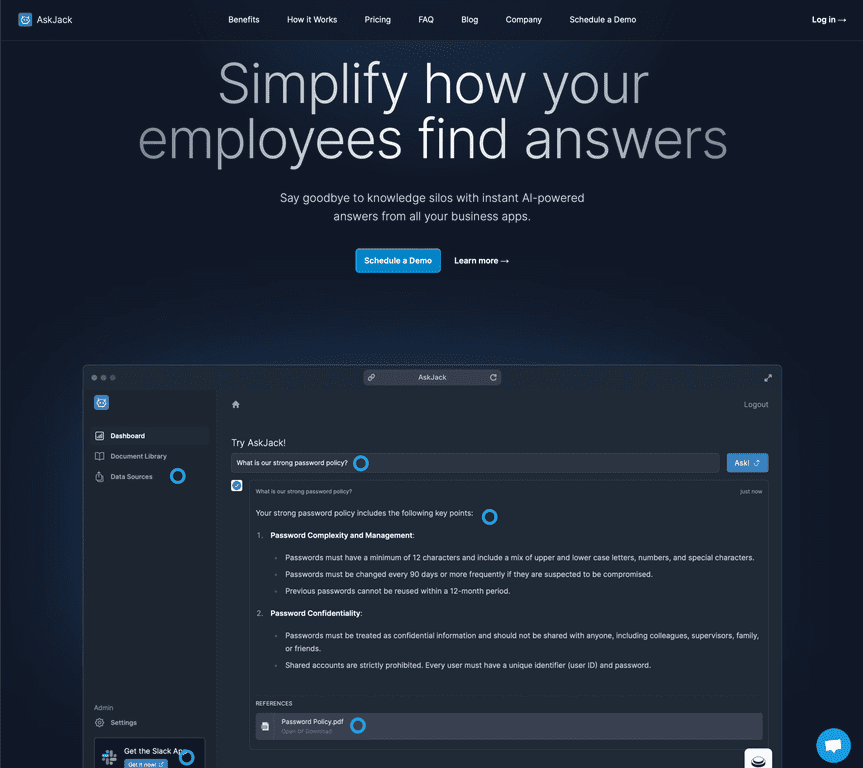
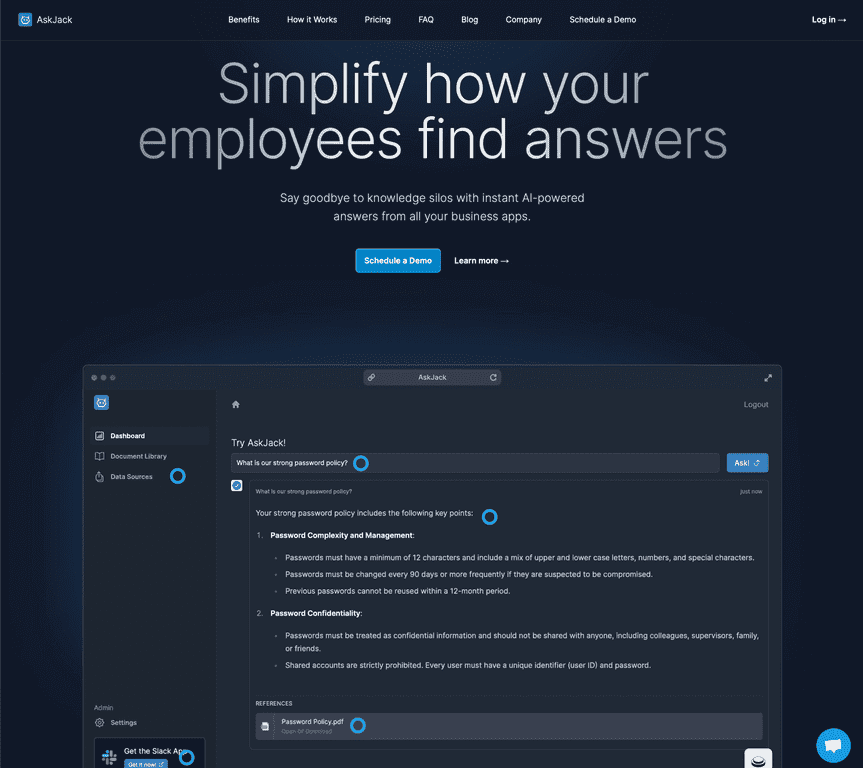
AskJack is an AI-powered workplace assistant that pulls answers from the tools your team already uses—like Google Drive and Slack. Instead of digging through folders or pinging teammates again (and again), you can ask a work question and get a response right away. I like this approach because it cuts down on the “who has time for this?” moments, especially for new hires who are still learning where everything lives.
That said, it’s not magic. You’ll likely need to do some initial setup to connect the right apps and make sure the content you care about is actually available. Once it’s configured, though, it can be surprisingly helpful for reducing repetitive questions and speeding up onboarding.
AskJack Review
AskJack is built for one main job: helping teams get answers faster by connecting to the information they already store. For example, instead of searching through a messy mix of Drive folders and Slack conversations, you can ask something like, “Where’s the latest onboarding checklist?” or “What’s the policy for requesting time off?” and get a direct response based on what’s connected.
Here’s what I noticed right away—when the relevant content is available, responses feel much faster than traditional searching. You’re not clicking through five different docs just to find the one sentence you needed. And because it’s tied to workplace apps, it’s easier to keep people from interrupting each other for the same basic questions.
It’s also pretty useful for onboarding. New employees typically spend the first couple weeks learning “where things are.” If you can answer those questions quickly—without waiting for someone’s calendar to open—you reduce the frustration on both sides.
Still, don’t expect perfect results out of the box. If your connected data is incomplete, outdated, or scattered across places that aren’t integrated, the quality of answers will reflect that. The tool is only as good as what you feed it.
Key Features
- Instant AI Answers for common work queries (the “quick question” stuff that usually eats up time)
- App integrations with tools like Google Drive and Confluence, plus chat-based workflows in Slack
- Faster onboarding so new hires can get answers without bombarding teammates
- Less repetitive back-and-forth by reducing the number of repeated questions routed to teams
- Unified access to information across the connected apps, so you’re not bouncing between systems
Pros and Cons
Pros
- Saves real time: I found it’s especially helpful for quick “where is X?” and “what’s the process for Y?” questions.
- Easy for non-technical users: employees don’t need to know how the knowledge is stored—they just ask and move on.
- Useful integrations: connecting to the apps teams already rely on (like Google Drive, Slack, and Confluence) makes it feel practical, not gimmicky.
- 30-day free trial: it’s available without a credit card requirement, which is a big plus if you want to test it with your team first.
Cons
- Initial setup can take time: you’ll want to plan a little effort to connect the right sources and confirm access.
- Answer quality depends on your data: if the docs aren’t current or the content isn’t connected, you’ll notice it quickly.
Pricing Plans
AskJack offers a 30-day free trial so you can test it with your team before committing. For the latest pricing details and any plan options, you’ll want to check the AskJack website.
Wrap up
If your workplace has a lot of repeat questions, scattered documentation, or new-hire ramp-up issues, AskJack is worth trying. It’s not just “an AI chatbot”—it’s more like a fast path to answers when it’s connected to the right tools and the right content is available.
For me, the biggest win is how it reduces the constant searching and small interruptions that quietly drain the day. If you’re curious, I’d start with their free trial and see how it performs on the questions your team asks every week.
Promote AskJack