Table of Contents
If you’ve ever stared at a blank page and thought, “Okay… but what happens next?” then you’ll probably get why I ended up trying AIStoryBuilders. I’m not talking about the usual brainstorming hype, either. I mean the real kind of writer’s block where you know the premise, you even have characters, but the story just won’t move.
AIStoryBuilders is an AI writing tool built around story planning and continuation. You add details for characters and settings, and then the AI helps generate narrative content—especially when you want it to “auto-continue” from where you left off. There’s also story organization so you can keep track of timelines and character arcs without everything turning into a chaotic mess.
AIStoryBuilders Review: Does It Actually Help You Write?
Here’s what stood out to me right away: AIStoryBuilders doesn’t just spit out random paragraphs. You’re encouraged to set up your story first—characters, locations, and the basic context—then let the AI build from that. That matters, because without some structure, AI writing can feel like it’s wearing the wrong clothes.
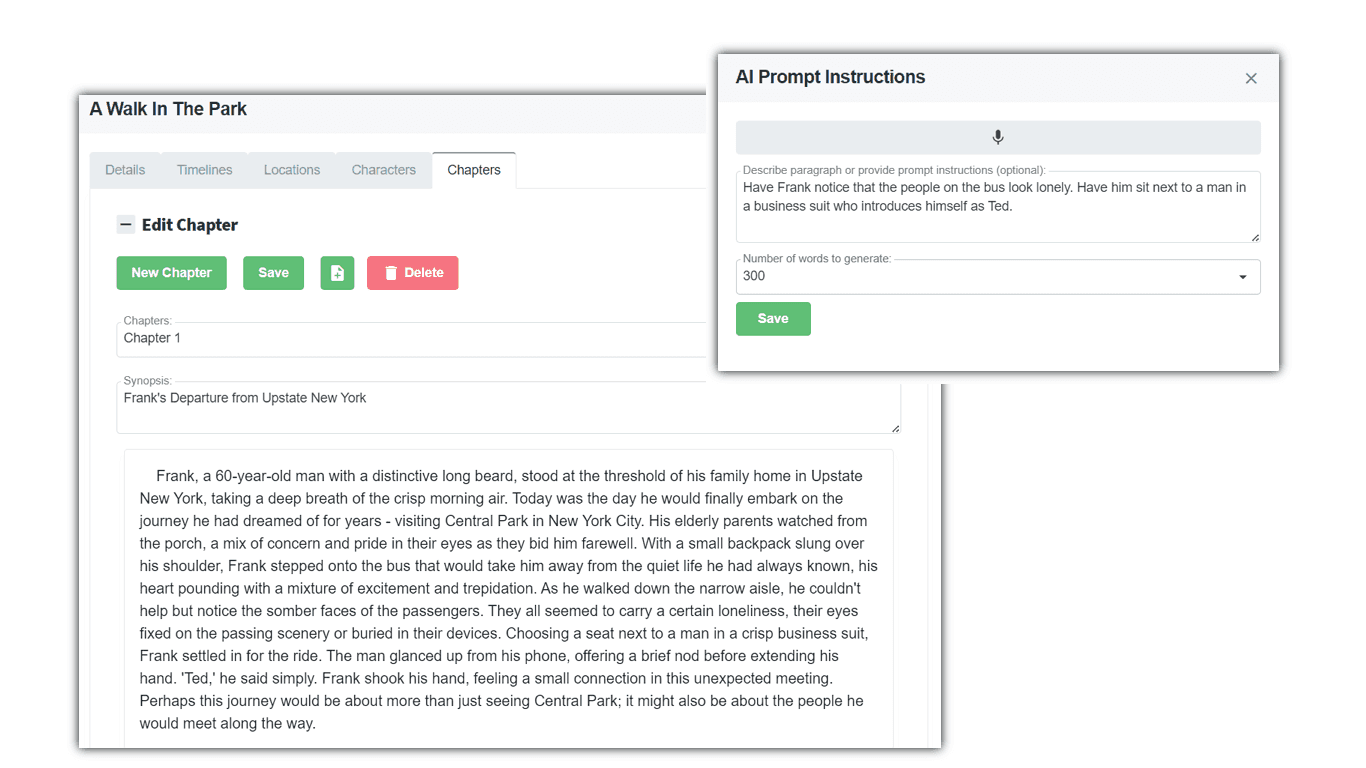
In my testing, the “auto-continue” feature was the most useful part. I’d write a scene, hit a wall, and then ask it to continue based on what I’d already established. The output wasn’t perfect every time (no tool is), but it was genuinely helpful for getting momentum back. Instead of staring at a blinking cursor, I’d get a new direction—something I could either accept, tweak, or use as a springboard.
Another thing I noticed: the tool helps keep story elements from drifting too far. If you’re juggling multiple characters or a timeline that spans different locations, you need consistency. AIStoryBuilders includes story management to organize things like timelines and characters, which makes it easier to spot contradictions before they become a problem.
Key Features That Matter (Not Just Buzzwords)
- Enhanced Content Generation — You can input details about characters and settings, then use that info to guide the AI. This is the difference between “write me a story” and “write me my story.”
- AI Writing + Inspiration / Auto-Continue — The auto-continue function is designed for exactly those moments when you don’t know how to move forward. It can also help rewrite or rework existing text if you want a different tone or version of a scene.
- Story Management — Instead of losing everything in a doc, you can organize story elements into timelines, locations, and characters. For longer projects, I really like anything that reduces the amount of manual tracking I have to do.
- Online + Windows Version — You can use it in your browser and also download a Windows version. I like having an offline-ready option when I’m traveling or working without stable internet.
Pros and Cons (My Honest Take)
Pros
- It’s easy to get started. The interface feels straightforward. I didn’t have to watch a bunch of tutorial videos just to create a basic story setup.
- Auto-continue helps with momentum. If you write in bursts (like I do), having the AI pick up the thread is a big deal. It’s not replacing your voice—it’s helping you get unstuck.
- Story organization is actually useful. Keeping timelines and character info together saves time later, especially when you’re revising.
- Cost is flexible. Since the tool is free to use, you can start without committing. That’s great if you’re testing whether this workflow fits you.
Cons
- Costs can be unpredictable. AIStoryBuilders relies on the OpenAI API, and that means usage can affect pricing. In other words: if you generate a lot, you might pay more than you expected.
- Complex plots still need your input. For very intricate storylines (multiple subplots, lots of time jumps, complicated character motivations), the AI can miss details. You’ll likely need to guide it with clearer notes and then edit the output.
- It won’t “know” your style automatically. You can get closer by providing character voice/tone notes, but you still have to review. I’d never publish raw AI text without tightening it.
Pricing Plans: Free to Start, Then API-Based Costs
AIStoryBuilders is free to use. The ongoing costs are tied to the OpenAI API, and the typical estimate is around $1 to $5 per month depending on how much you generate. If you’re using it lightly—like continuing a few scenes here and there—that range is believable. If you’re running lots of long generations every day, you’ll want to keep an eye on usage.
My tip? Treat it like a writing assistant, not a constant content factory. Use it to unblock, iterate, and draft—then do your own revision pass. That’s where the value really shows up.
Wrap up
AIStoryBuilders is a solid option if you like the idea of combining AI story generation with actual organization tools. It’s especially helpful for overcoming writer’s block using auto-continue, and the story management side makes it easier to keep your characters and timeline consistent.
Just go in with realistic expectations: you’ll still need to edit, and complex plots may require more manual guidance than you’d hope. But if you want a writing companion that helps you move forward instead of stalling out, it’s worth trying.