Table of Contents
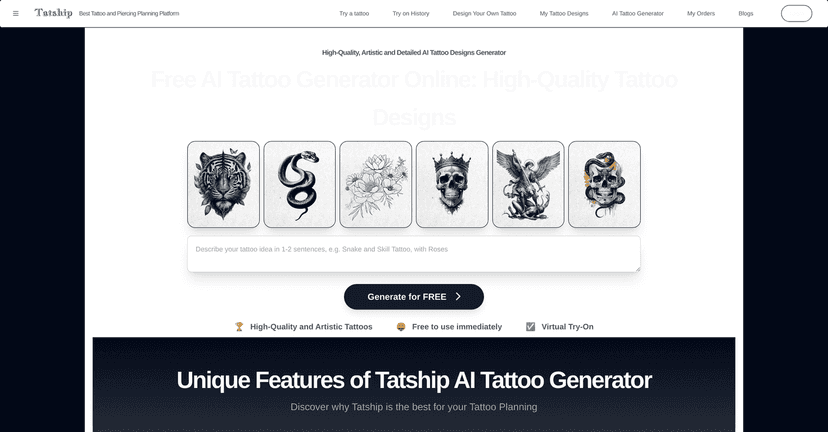
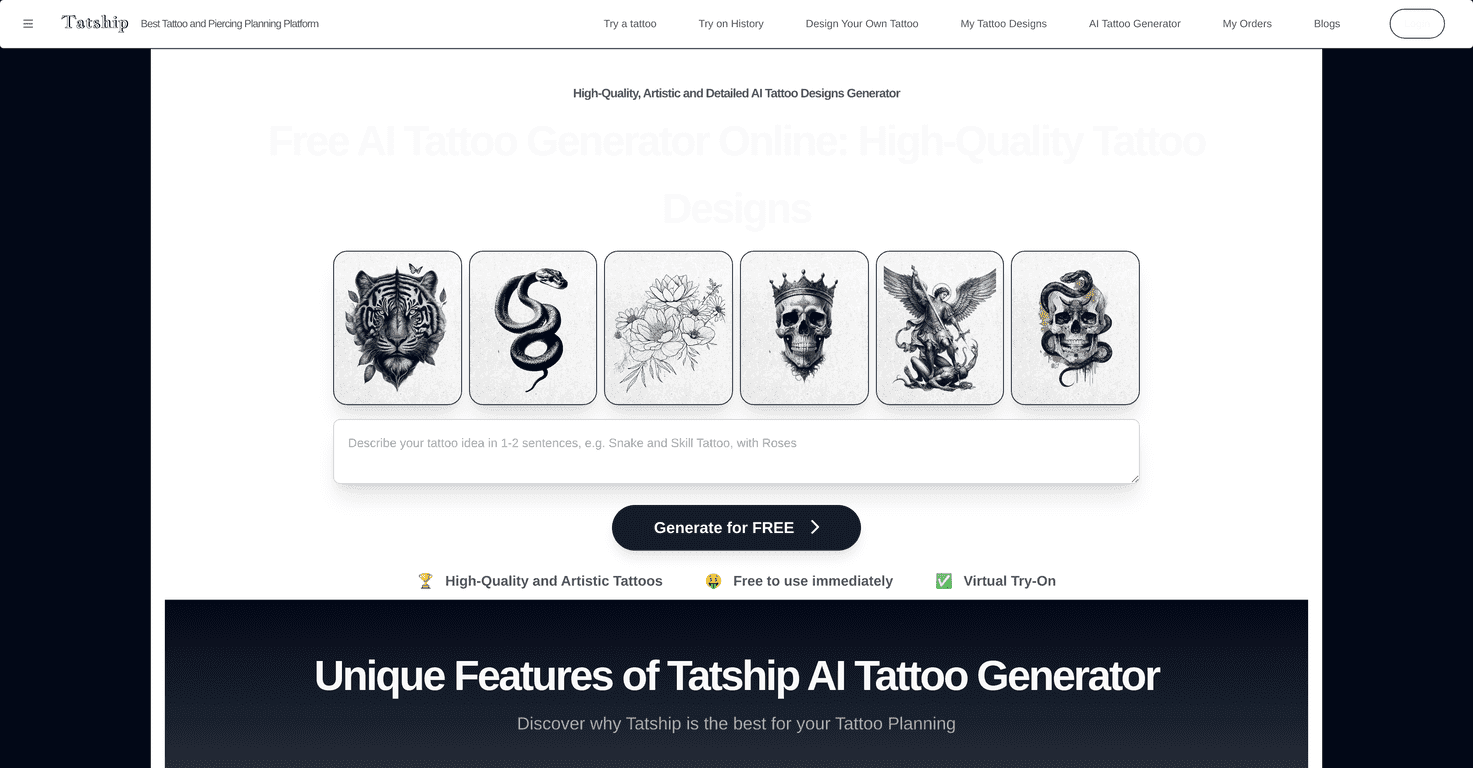
If you’ve ever sat there flipping through tattoo portfolios and thought, “Cool… but I don’t fully see *me* in this,” the AI Tattoo Generator by Tatship might scratch that itch. I tested it to see how close it gets to the kind of design you actually want—without committing to an appointment the same day.
The basic idea is simple: you describe what you want, the tool generates tattoo concepts, and then you can visualize them a bit more realistically. If you’re the type who likes options (I am), this is a pretty fun way to explore styles and placements before you talk to a real artist.

AI Tattoo Generator Review
The AI Tattoo Generator is an online design tool that helps you create and visualize tattoo ideas using AI. In my experience, the biggest win isn’t that it magically replaces a tattoo artist—it’s that it gives you a starting point fast. You type in what you’re thinking (style, subject, mood, placement), and it produces tattoo concepts you can actually look at.
One thing I liked right away: it’s not overly complicated. You’re not stuck wrestling with settings. You can move from “idea” to “visual” quickly, which is honestly what most people need when they’re stuck in the brainstorming phase.
It also supports uploading your own pictures for more personalized results. That matters because tattoos aren’t just about an image—they’re about how the design fits your body. The tool’s virtual try-on/visualization side helps you get a better feel for scale and placement before you commit.
Key Features
- Customizable tattoo concepts – You’re not stuck with one generic design. In my tests, adding details like “fine line,” “blackwork,” or “botanical + minimal” helped steer the output.
- Free access – The tool is available at no cost, which makes it easy to experiment. I tried a few different prompts without feeling like I had to “get it right” immediately.
- Virtual try-on / placement visualization – This is where it gets more practical. Seeing the design on a body-style preview helps you catch issues like proportions or awkward placement early.
- Design customization – The ability to blend AI concepts with personal images is a nice touch. If you’ve got a reference photo (like a symbol, texture, or an element you want included), it can make the result feel more “yours.”
- Order custom temporary tattoos – If you’re cautious (and you should be), trying a temporary version first is a smart way to test how the design feels day-to-day.
Pros and Cons
Pros
- Designs can look genuinely tattoo-ready – Some outputs have that clean, artistic vibe. I noticed better results when I included more specific style words instead of vague prompts.
- Easy to use – The interface doesn’t feel like a tech demo. It’s built for browsing and iterating, which is exactly what you want when you’re exploring ideas.
- Customization helps you narrow it down – Being able to tweak and refine means you’re not just generating one shot and hoping it’s perfect.
- Virtual visualization is useful – Even if it’s not a perfect “real skin” simulation, it’s still great for spotting placement problems before you spend real money.
Cons
- Quality depends heavily on your input – If your prompt is too broad, the design can come out generic. I got the best results when I specified elements like line weight, theme, and placement.
- You need an internet connection – Obviously this is common for web tools, but it still matters if you’re trying to work on the go.
- AI won’t replace artist-level refinement – The output is a concept. A real tattoo artist can fix symmetry, line consistency, and how the design ages on skin.
Pricing Plans
Here’s the part I was happy about: the AI Tattoo Generator is free to use. That means you can create concepts and experiment with different directions without immediately paying for anything. If you decide you want to take it further, the option to order custom temporary tattoos gives you a low-risk way to test the design in real life before committing to permanent ink.
Just keep expectations realistic—free tools are great for exploration, but if you want truly perfect final art, you’ll likely still end up working with a tattoo artist anyway.
Wrap up
Overall, I think the AI Tattoo Generator by Tatship is a solid option if you want ideas fast and you like seeing how something might look before you commit. It’s especially helpful when you’re indecisive (or when you’ve got 10 half-formed concepts and no clue how to combine them). Generate a few variations, use the visualization to check placement, and—if you’re unsure—try the temporary tattoo route.
If you’re looking for inspiration or just want a better starting point for your next tattoo conversation, it’s worth giving this tool a shot. You might be surprised how quickly you go from “maybe” to “okay, that’s the one.”