Table of Contents
If you’ve ever tried to build a flowchart from scratch, you already know the annoying part: it’s not the idea—it’s the formatting. Boxes, arrows, spacing, alignment… suddenly you’re spending hours just to make it look “almost right.” That’s why I wanted to test the AI Flowchart Generator. In this review, I’ll walk you through what it does well, what’s a little shaky, and what I noticed after generating a few charts from real text.
AI Flowchart Generator Review (What I Actually Liked and What I Didn’t)
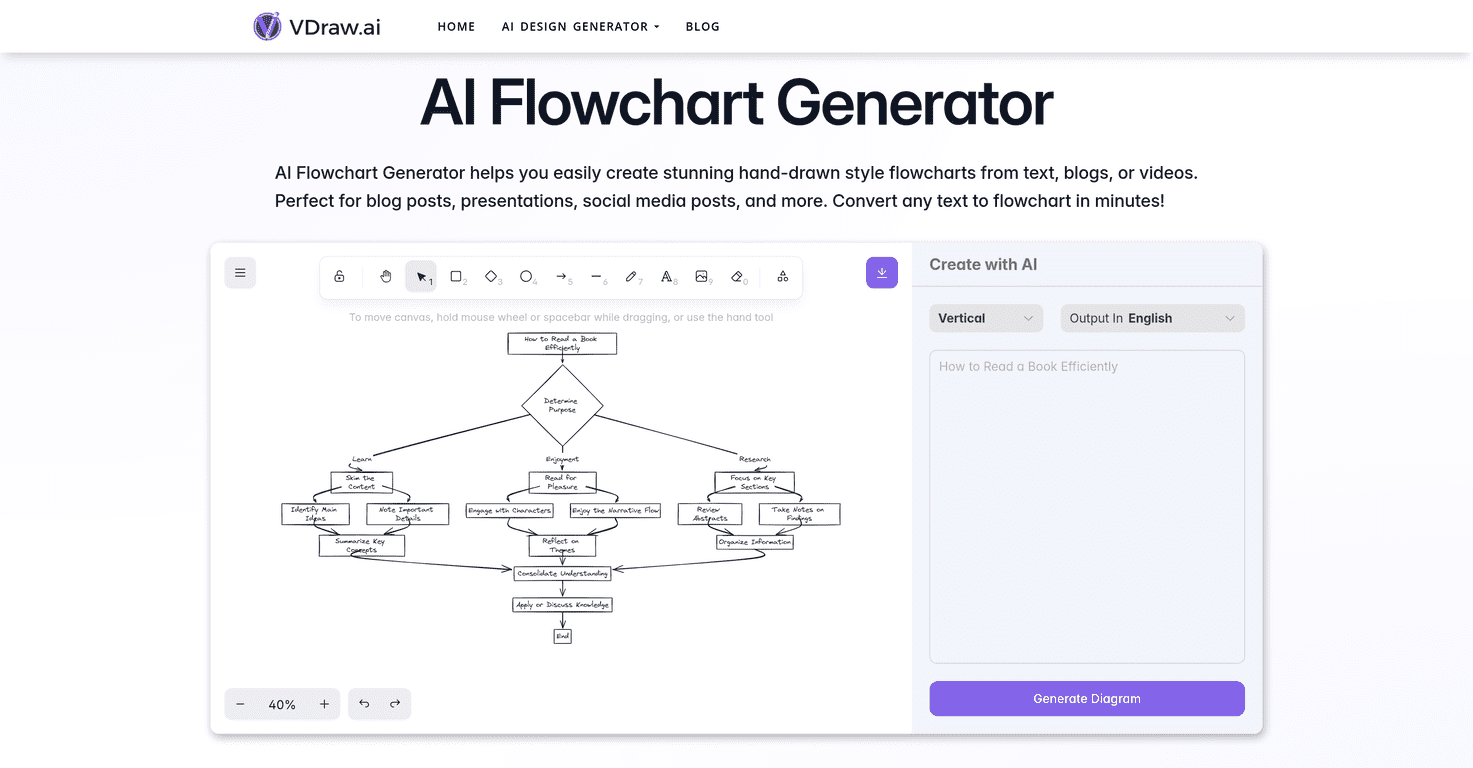
The AI Flowchart Generator is basically built for one thing: turning messy text into a clean flowchart quickly. You can feed it stuff like blog-style steps, outlines, or even rough notes, and it’ll produce a diagram you can use in a presentation or post without having to become a design expert first.
Now, the part that caught my attention is the hand-drawn style. It’s not just “generic icons on a grid.” The sketches feel more human, which is great if you’re making educational content, onboarding materials, or anything that needs to look friendly instead of corporate. Do I love every single chart it generates? Not always—but I do like that the aesthetic makes your content stand out.
In my experience, the workflow is pretty straightforward: you provide the text, the tool converts it into boxes and decision points, and you get something you can tweak rather than starting from a blank canvas. That alone saves time. If you’ve ever tried to rebuild the same flowchart in PowerPoint three different times, you’ll understand why I’m excited about that.
Key Features That Matter in Real Use
- Instant AI-Powered Flowcharts
You don’t have to wait around for complicated setup. I found that the “from text to diagram” part happens fast enough that you can iterate—try a new wording, regenerate, and compare. - Hand-drawn Style for Creativity
This is one of the main reasons I’d use it over a super sterile diagram tool. The sketch look makes the chart feel more like an infographic than a technical schematic. - Versatility for Various Applications
It’s useful for process explanations, study guides, content outlines, and even simple product workflows. - Easy-to-Understand Visuals
The output is built to be readable. Arrows and structure are generally clear, which is important if your audience isn’t technical. - Speedy Conversion of Text to Flowchart
If you’re starting from notes, this is a big win. Instead of manually translating every step into shapes, you get a draft in minutes. - Customizable Designs to Fit Your Needs
From what I tested, you can adjust elements like styling and how the content appears. It won’t replace every advanced design workflow, but it’s enough for most creators.
Pros and Cons (Honest Take After Testing)
Pros
- Beginner-friendly — you don’t need design skills to get a decent result.
- Fast generation — I was able to go from rough steps to a usable diagram without rebuilding everything manually.
- Customizable options — you can tweak text and visual elements like symbols and color choices (enough to make it feel “yours”).
- Works for more than one use case — educational content, business processes, and social media visuals all fit this style.
- Free basic features — if you’re just trying it out, you can test the waters before committing.
Cons
- Advanced features may be paywalled — some of the more powerful customization likely requires premium access.
- Input complexity matters — if your text is vague, run-on, or missing steps, the flowchart can come out less structured than you’d want. Garbage in, garbage out—just faster.
- Large flows can get messy — with long inputs, you may need to split your content into smaller sections so the chart stays readable.
Pricing Plans (What’s Public vs. What You Should Expect)
The AI Flowchart Generator offers free access to basic features. For more advanced capabilities, there are premium options, but specific pricing details aren’t clearly listed in the content I reviewed.
If you’re deciding whether to upgrade, here’s what I’d base it on: how often you generate charts, how complex your inputs are, and whether you need deeper customization or higher limits. If you’re making a couple charts a month for personal projects, free might be enough. If you’re producing diagrams regularly for clients or content, the premium tier is probably where the real value is.
Wrap up
Overall, I think the AI Flowchart Generator is a solid option when you want flowcharts quickly and you actually care about how they look. The hand-drawn style is the standout feature, and the fact that you can turn text into a usable diagram without wrestling with layout tools is a big deal.
Just remember: if your source text is messy or too detailed in one go, you’ll get better results by cleaning it up first or splitting it into smaller chunks. That small habit made my charts come out clearer right away—and honestly, that’s the difference between “cool demo” and “I can use this in my work.”
Promote AI Flowchart Generator




