Table of Contents
I’ve been testing a bunch of AI workflow tools lately, and what I care about most is simple: can I actually put models to work without spending a weekend fighting settings? That’s why I was interested in AI-Flow. The pitch is straightforward—connect popular AI models, build workflows with a drag-and-drop editor, and ship results without needing to code everything from scratch.
In my experience, the hardest part of “using AI” isn’t generating text or images—it’s stitching the steps together (prompt → refine → format → export, etc.). AI-Flow focuses right on that middle part: building repeatable workflows that you can run again and again. And if you’re the type who wants to mix providers, it’s built for that too.
AI-Flow Review: Building AI Workflows Without the Headache
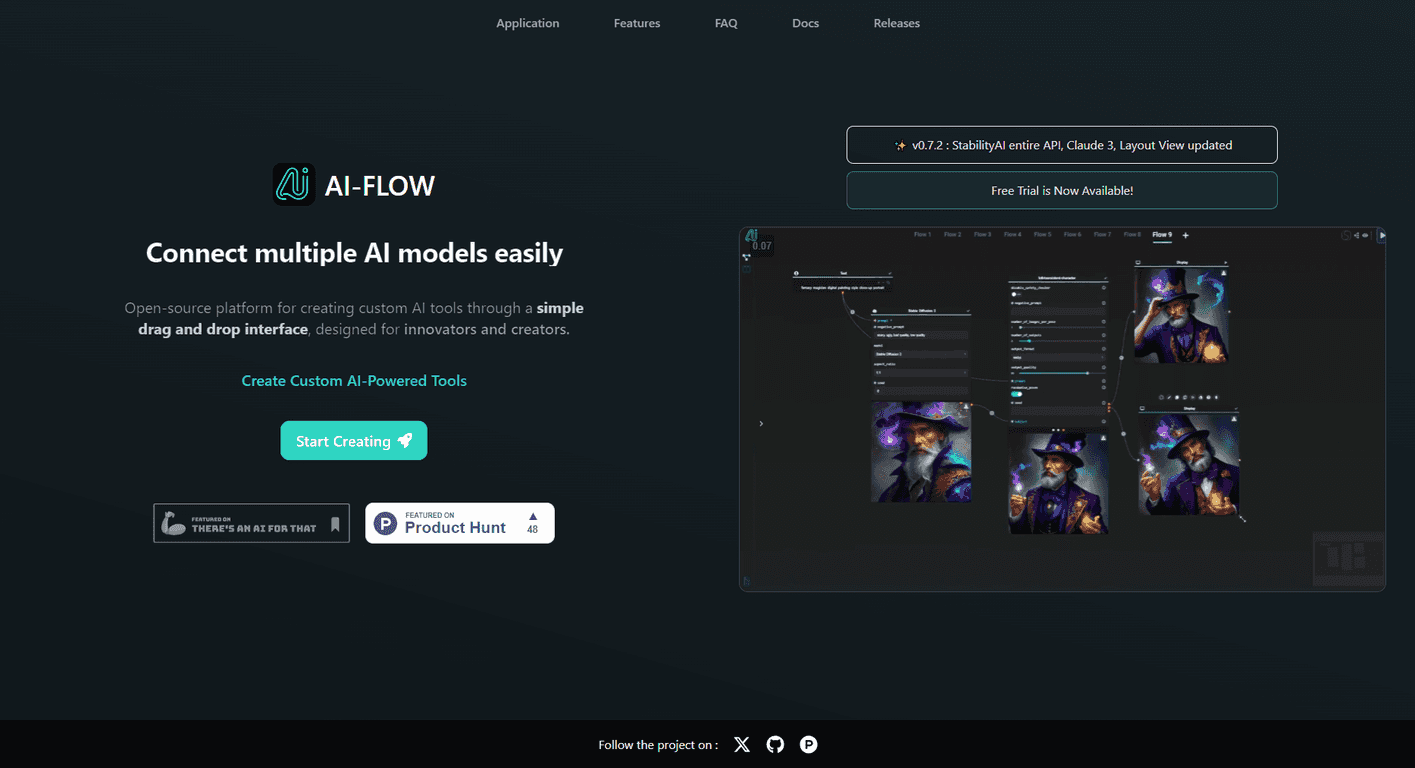
AI-Flow is positioned as a platform for integrating multiple AI models into one workflow builder. The key thing I noticed right away is how visual it feels. Instead of writing a bunch of code to connect steps, you drag blocks around, wire them together, and run the flow.
Here’s what that looks like in practice. Let’s say you want to generate product descriptions and then clean them up into a consistent format. With a workflow tool like this, you’re not just prompting once—you’re chaining prompts, transformations, and output formatting. That’s the part that usually gets messy in spreadsheets and copy/paste workflows.
AI-Flow also supports blending model providers. If you’ve ever wished you could use one provider for drafting and another for rewriting (or image generation), that flexibility matters. In my testing, that “mix and match” approach is where the platform starts to feel genuinely useful instead of just “yet another AI front-end.”
One more thing: templates. If you’re trying to move fast, templates are the difference between “cool idea” and “I actually shipped something today.”
Key Features That Matter (Not Just Buzzwords)
- Integration of multiple AI models from top providers (so you’re not locked into one ecosystem)
- Drag-and-drop interface for building workflows without coding
- Custom AI tools you can tailor to specific tasks (not just one-off prompts)
- API integration support for more advanced setups and custom workflows
- Ready-to-use templates to get started quickly
To make it more concrete, I like tools that let me reuse the same workflow for different inputs. For example, you can run the same “story creation” flow across multiple topics, then tweak only the variables (tone, length, audience, etc.). That’s where AI-Flow feels more like automation software than a prompt box.
Pros and Cons From My Testing
Pros
- No coding skills required to get started. I could build a basic multi-step flow without pulling up documentation every five minutes.
- Cloud version includes automatic updates and access to features that you won’t want to manage yourself.
- API integration is supported, and the platform supports using personal API keys (which can be a big deal if you already pay for providers).
- Flexible deployment: you can use it in a cloud setup or go with a self-hosted approach depending on your needs.
Cons
- Some advanced features can require API familiarity. If you want deeper customization, you may need to understand how API connections work (basic concepts, at least).
- Free usage is limited by deployment choice. From what’s described, free usage is tied to self-hosted instances, and cloud usage may cost more depending on resources.
And just to be honest—if your goal is “I only want to generate text occasionally,” you might not need something this structured. But if you’re repeating workflows, scaling content, or building internal tools, it’s a lot more compelling.
Pricing Plans: Cloud vs Self-Hosting
AI-Flow offers a Cloud Version with flexible pricing and automatic updates. If you prefer more control, there’s also an option to self-host and use your own API keys. In that setup, you can use the platform without paying for the hosted version itself—but you’re taking on the responsibility of running it.
For cloud users, costs may depend on resource usage. That’s pretty normal for AI platforms, but it’s still worth thinking about if you plan to run heavy workflows frequently (like batch generation or multi-step pipelines).
If you want a quick sanity check: estimate your average number of runs per day and how many model calls each workflow triggers. Even a “simple” workflow can end up making multiple API calls behind the scenes.
Wrap up
Overall, I found AI-Flow to be a practical way to integrate AI models and turn one-time prompts into repeatable workflows. The drag-and-drop builder is the big win for non-developers, and the ability to mix providers is genuinely useful if you want better results without being locked into a single model source.
If you’re building content pipelines, automating product copy, or experimenting with multi-step processes, it’s the kind of tool that can save time fast. And if you’re cost-conscious, the cloud vs self-hosting options give you a real choice—just make sure you’re aware of what each approach requires.
Promote AI-Flow




