LIFETIME DEAL — LIMITED TIME
Get Lifetime AccessLimited-time — price increases soon ⏳
AI Tools

AI Auto Apply Review – Simplifying Your Job Search

Updated: April 20, 2026
6 min read
#Ai tool#jobsearch

Table of Contents

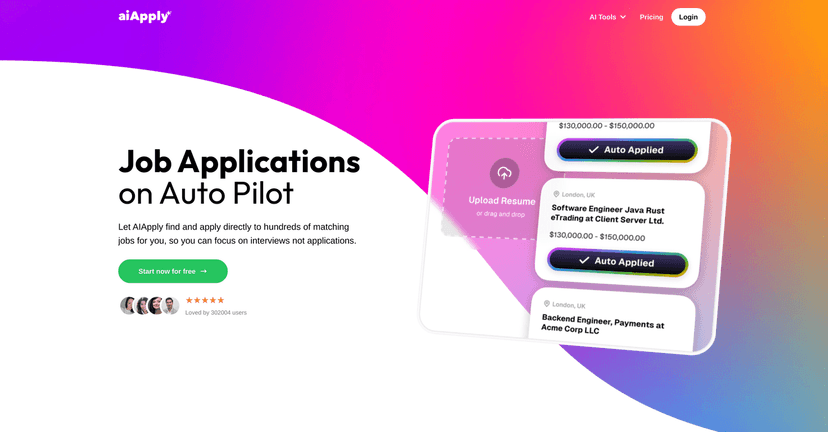
Job hunting is exhausting. I’m not exaggerating—between tailoring resumes, filling out the same fields 20 different ways, and trying to keep track of which companies even replied, it can start to feel like a second job. That’s why I decided to test AI Auto Apply by AIApply. The pitch is simple: automate the repetitive parts so you can spend more time on interviews and less time clicking “Next” until your mouse hand feels numb.

Ai Auto Apply

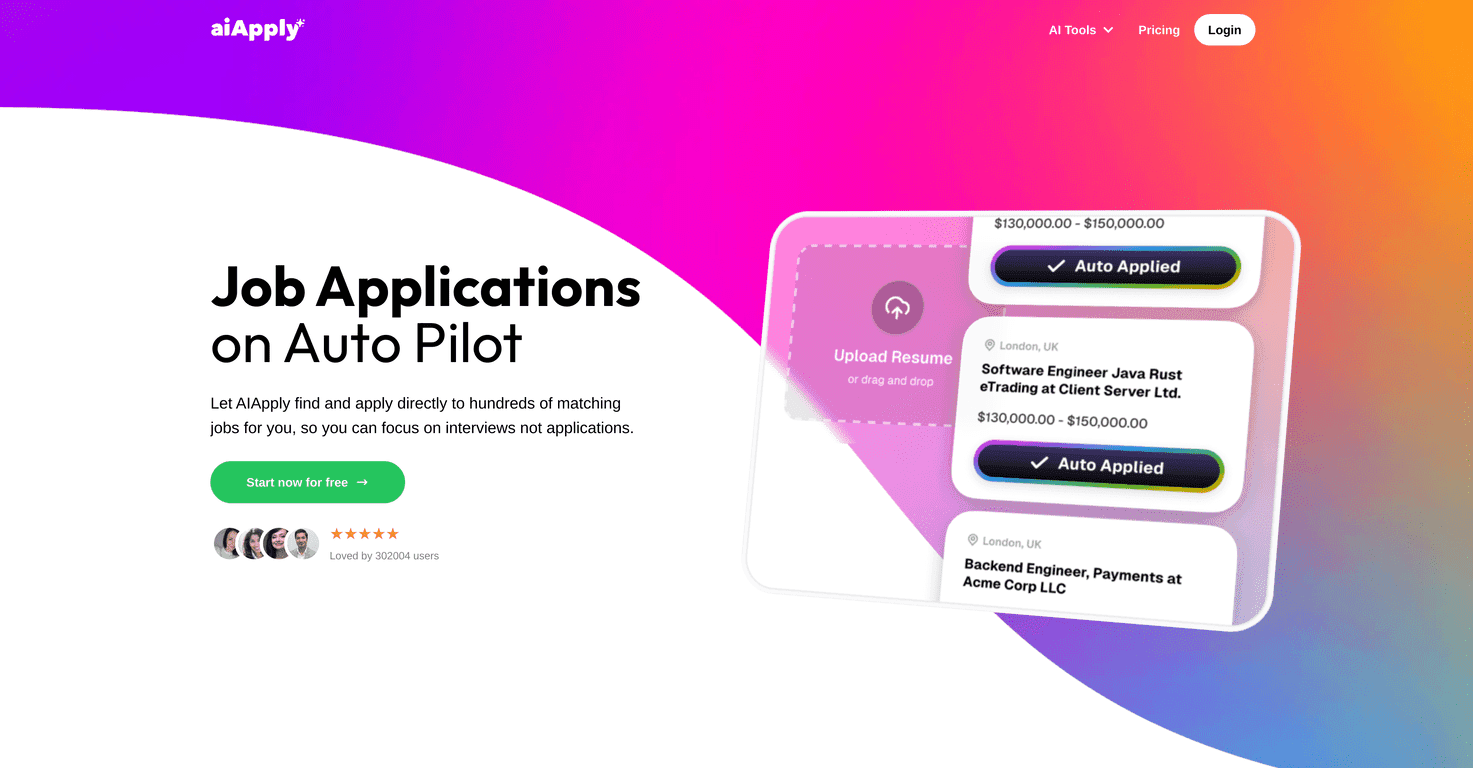
In my experience, the hardest part isn’t finding jobs—it’s applying consistently. AI Auto Apply aims to help you do that by matching roles to your preferences and then submitting applications without you having to manually re-enter everything each time. Does it magically guarantee interviews? No. But it does remove a huge chunk of the busywork, and that matters.

AI Auto Apply Review: What I Liked (and What to Watch)

AI Auto Apply is built around one main idea: most of job applications are repetitive. You’re copying the same info, uploading the same documents, and answering the same questions with tiny variations. This tool tries to handle that for you—using AI to match you to roles and then submit applications based on your settings.

When I set it up, the first thing I paid attention to was how specific the matching could be. If you keep your preferences vague, you’ll probably get a broader set of applications than you actually want. And honestly, that’s where people can get disappointed—because applying to “almost relevant” roles can lead to more rejections, not more interviews.

So what does “tailored” mean here? In practice, it means the tool is designed to align applications with your skills and career goals, and it attempts to format things in a way that works with ATS-style systems. It’s not just spamming jobs; it’s trying to be selective based on what you tell it.

Also, I appreciated the “hands-off” angle. Even if you still want to review things occasionally, the time savings are real. Instead of spending an hour applying to 10 roles, you can often get the same volume done much faster—then spend your actual energy on the parts that move the needle (like customizing follow-ups and preparing for interviews).

Key Features (Broken Down Like a Real User Would)

  1. Hassle-Free Job Applications: It automates applying for jobs that match your preferences and credentials. I found this most useful for roles that require the same basic inputs over and over.
  2. Expert Market Scanning: It scans job postings and tries to match opportunities with your skills and career goals. The quality of the matches depends heavily on how well you set your preferences up front.
  3. Enhanced Application Quality: It aims to optimize your resume and cover letter so they’re ATS-friendly. In other words, it’s trying to avoid the “pretty but unreadable by bots” problem that can hurt your chances.
  4. Interview Preparation: It includes tools for mock interviews and question-specific guidance. I used this as a quick way to practice common questions before real calls—nothing replaces real experience, but it helps you warm up.
  5. Continuous Support: There’s ongoing assistance and feedback intended to help you refine your job search strategy. This is important because your first week of applying is usually a learning curve.
  6. Increased Job Market Visibility: By applying to more suitable positions consistently, you increase your odds. Just remember: more applications only help if they’re actually relevant.

Pros and Cons: My Honest Take

Pros

  • Time-Saving: The biggest win is speed. You can apply to a lot of roles quickly without doing the same copy/paste work every time.
  • Less Stress: Job hunting can make you feel stuck. Automating the application step reduces that “I need to keep up” pressure.
  • More ATS-Friendly Applications: The tool is designed to optimize resumes and cover letters, which helps when companies use automated screening.
  • Interview Prep Tools: The mock interview and guidance features are genuinely useful for practice. I liked being able to review common question angles instead of going in cold.

Cons

  • You have to manage the settings: If your preferences are too broad, you may end up applying to jobs that aren’t a perfect fit. That can create “over-application” results—lots of submissions, fewer callbacks.
  • Not everyone wants automation: Some people prefer to manually tailor every application. If that’s you, AI Auto Apply might feel a little too hands-off.
  • AI still needs guardrails: Even when the tool tries to tailor documents, it’s smart to review anything important before it goes out—especially for roles where keywords and responsibilities matter a lot.

Pricing Plans (Including the 50% Discount)

AI Apply lists three pricing plans with a limited-time 50% discount:

  • Monthly Plan: $29/month (was $58)
  • Quarterly Plan: $19/month (was $38)
  • Yearly Plan: $199 (was $398; billed as a one-time payment)

Each plan includes access to tools like the application kit, AI job interviews, AI resume builder, and the AI cover letter generator. If you’re actively job searching right now and applying consistently, the quarterly plan is often the sweet spot—especially if you don’t want to commit to a full year.

One practical tip: before you pick a plan, think about how many applications you realistically plan to submit each week. Automation is great, but you still want your job titles, locations, and target roles dialed in so the submissions are worth it.

Wrap up

AI Auto Apply by AIApply is a solid option if you’re tired of the repetitive grind of job applications. What stood out to me most is how much it reduces the “application admin” time—so you can focus on the parts that actually lead to interviews. Just don’t set your preferences loosely and assume everything will be perfect. If you want better results, you’ll need to be specific about what you’re targeting.

If you’re in an active search and you’re applying in volume, it’s worth trying. The time you save is real, and that can make a huge difference when you’re trying to stay consistent for weeks at a time.

Promote AI Auto Apply

Stefan

Stefan

Stefan is the founder of Automateed. A content creator at heart, swimming through SAAS waters, and trying to make new AI apps available to fellow entrepreneurs.

Related Posts

is lisa crowne a real person featured image

Is Lisa Crowne a Real Person? Uncovering the Truth About Daisy Jones & The Six

Discover whether Lisa Crowne is a real person or fictional character from Daisy Jones & The Six. Get expert insights, episode details, and practical tips.

Stefan
are quotes public domain featured image

Are Quotes Public Domain: Complete Guide

Learn everything about are quotes public domain. Complete guide with practical examples, expert tips, and actionable strategies.

Stefan
self published books that made it big featured image

Self Published Books That Made It Big: Success Stories & Tips

Discover how self-published books achieved massive success in 2026. Learn from top authors, key strategies, and industry insights to boost your publishing journey.

Stefan

Create Your AI Book in 10 Minutes