Table of Contents
If you’re trying to publish more (and faster) without turning your content process into a full-time job, I get it. I tested ACME.BOT for a few weeks to see if it actually helps with SEO content creation—or if it’s just another “AI will write your posts” dashboard.
ACME.BOT Review: what I actually did (and what I noticed)
Here’s the honest version: I didn’t just “generate one article and call it a day.” I ran a small workflow a few times—keyword research → outline/article draft → illustration idea → publish to WordPress—and I paid attention to the parts that usually waste my time: picking the right keywords, shaping the structure, and polishing for readability.
My workflow looked like this:
- Keyword research pass: I entered a topic I wanted to rank for and generated keyword ideas. What I liked is that it didn’t just spit out random terms—it grouped options in a way that made it easier to compare relevance instead of guessing.
- Article generation: I took one of the keyword sets and generated a full draft. The output came with a clear structure (headings and sections) so I wasn’t starting from a blank page.
- Editing for “realness”: I still edited—mostly to add specifics from my own knowledge and to tighten a few sections that sounded a bit generic.
- Illustration step: I used the illustration generator to create a visual concept to match the article section (more of a diagram-style support than a “stock photo replacement”).
- Publishing: I used the one-click publishing flow to send the post to WordPress and then checked formatting on the live editor.
What I noticed after several weeks: the biggest time savings for me wasn’t “AI writes everything.” It was the reduction in decision fatigue. I spent less time bouncing between keyword tools, outlining in a doc, and reformatting drafts. The drafts also tended to be readable right away, which meant fewer passes before it sounded like something I’d actually publish.
That said, I’ll be upfront: if you expect zero editing, you’ll probably be disappointed. The content is strong as a starting point, but you still need to verify claims, add your own examples, and make sure the tone matches your site.
Key Features (with real-world notes from my tests)
- Automated Keyword Research
- I used this to find keyword targets for specific blog topics. The tool helped me narrow down options instead of dumping a huge list. What mattered most to me was the “direction” it gave: it made it easier to pick keywords that fit the intent of the article I wanted to write.
- What I’d do differently: I always sanity-check the keyword choice by scanning the top-ranking pages myself. Automation is great for speed, but it can’t replace a quick SERP reality check.
- Deep-Researched Articles
- When I generated drafts, the writing came out structured and “topic-complete” enough that I didn’t feel like I was missing key sections. In my experience, the best results came when I gave the tool a clearer angle (who the post is for, what problem it solves, and what type of examples I want).
- My editing checklist: I reviewed for (1) readability, (2) whether any sections felt repetitive, and (3) whether I could add one or two concrete examples from my own experience. That’s where the article turns from “AI draft” into “publishable post.”
- Custom Illustrations
- The illustration generator is one of those features that sounds marketing-y until you actually try it. I used it to create a supporting visual for an article section. It helped break up the text and made the post feel more designed.
- Limitation I ran into: it’s not a replacement for a fully custom brand illustration. If you need strict brand styling, you’ll likely want to tweak the output or use it as a starting point.
- 1-Click Publishing
- This is where I felt the “workflow” promise most. I pushed posts to WordPress without the usual copy/paste chaos. After publishing, I checked the formatting in the WordPress editor (headings, line breaks, and how images displayed).
- What I liked: the content arrived in a usable state, not a broken mess. That alone can save 15–30 minutes per post depending on how your theme handles spacing.
- Reader-Centric Focus
- The drafts were written to be skimmable. Headings were logical, and the overall flow was easy to follow. I didn’t have to “teach” the tool how to write for humans—which is honestly a big deal when you’ve been burned by bland AI text before.
- Quick tip: if your audience is technical, add a note like “use practical examples and avoid fluff.” It noticeably improves the usefulness of the final draft.
- Content Strategy Support
- I used the strategy side to plan topics based on market/competitor context. It’s not the same as a full SEO suite, but it helped me decide what to write next instead of guessing.
- My take: think of this as “directional strategy” that speeds up planning, not a replacement for deeper keyword research tools when you’re doing serious competitive analysis.
Pros and Cons (what’s good, what’s not)
Pros
- Faster end-to-end workflow: the keyword → draft → publish sequence is quicker than building everything manually.
- Drafts are usable early: I didn’t need to rewrite the structure from scratch most of the time.
- Illustrations make posts feel more complete: it’s a practical way to add visuals without hunting for ideas.
- Publishing is straightforward: the one-click flow saved me from a lot of formatting cleanup.
Cons
- There’s a learning curve: the first couple of runs took longer because I had to figure out the best input prompts/settings for my niche.
- Not “set it and forget it”: you still need to edit for accuracy, add your own examples, and make sure the tone matches your brand.
- Niche customization can take extra effort: when I tried a very specific angle, I had to be more explicit about what to include (and what to avoid).
Pricing Plans (and what $49/month should cover)
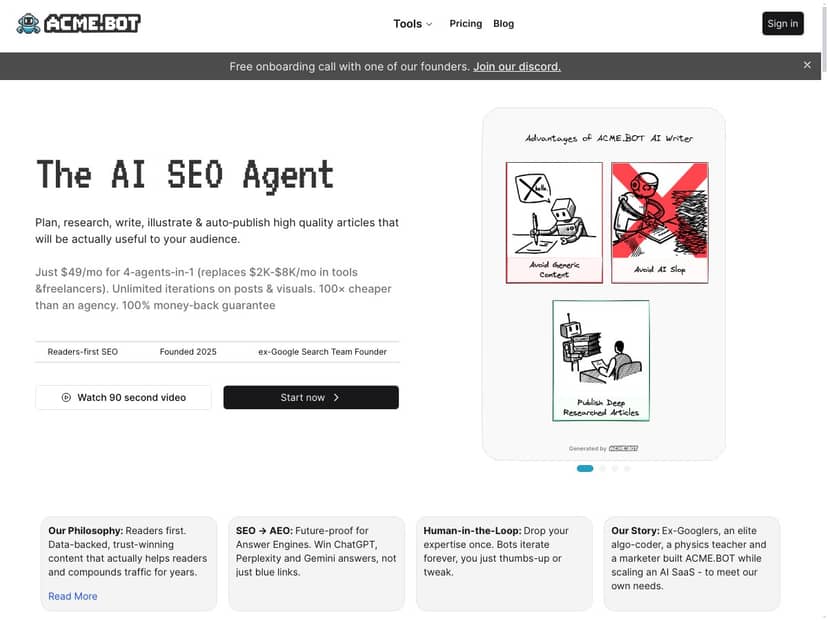
ACME.BOT is advertised as starting at $49 per month. That sounds reasonable if you’re publishing regularly, but pricing can change, so I recommend checking the live page before you commit.
One thing I wish I could confirm more precisely: the exact tier breakdown (credits/word limits/iterations) isn’t shown in the original content you provided. Here’s a practical way to evaluate the plan before paying:
- Check your limits: Are you limited by words, articles, or “runs” per month?
- Look for iteration rules: If you want multiple draft versions, you’ll want to know if that counts against your allowance.
- Confirm publishing support: It claims WordPress/Shopify support—make sure your CMS is included on your tier.
- See if there’s a trial: Even a short trial helps you test output quality in your niche.
If you want, tell me your niche and posting frequency (like “2 posts/week” or “monthly”), and I can help you estimate whether $49/month is likely to be a good fit.
Wrap up
ACME.BOT is best when you treat it like a fast content production partner, not a magic “publish perfect SEO content” button. In my experience, it shines at speeding up the boring parts—keyword discovery, drafting structure, and getting posts onto WordPress without extra hassle. The tradeoff is that you’ll still want to edit for accuracy and add your own examples so it sounds like you.
If you’re a busy marketer or blogger who wants to publish more consistently, it’s worth trying—just go in expecting to spend a bit of time dialing in the prompts and reviewing the output.



