Table of Contents
If you’re trying to start a blog and you don’t want to spend weeks wrestling with settings, I get it. I’ve been there. EsyBlog looks built for that exact situation: quick setup, simple editing, and enough features to publish without turning it into a part-time job.
When I first checked out Esyblog, the thing that stood out to me was how “straight to the point” it feels. No complicated dashboard maze. You can get a post live, add a theme, and start thinking about readers pretty fast.
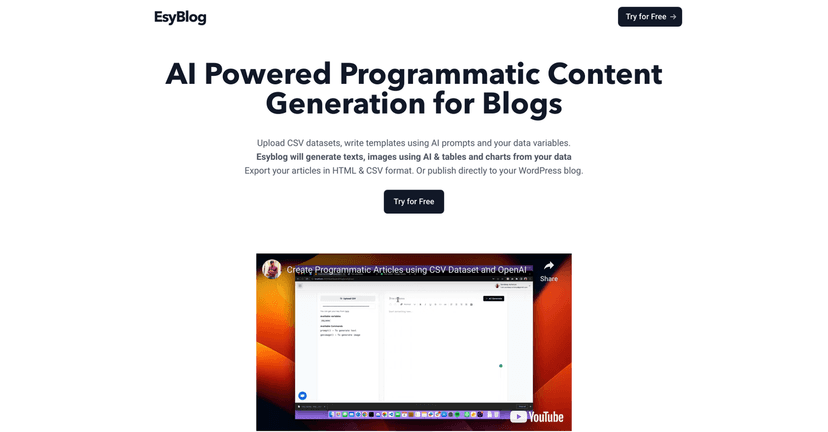
Esyblog Review
EsyBlog is designed for people who want a hassle-free blogging experience, not a “learn-the-platform” project. If you’ve looked at WordPress and felt overwhelmed, or you’ve tried to build on Substack and wanted something a bit more customizable, this is the middle ground many people are searching for.
In my experience, the biggest win here is simplicity. You can create posts, pick a theme, and get your content in front of people without needing to know anything about hosting, plugins, or coding. That matters if you’re blogging as a side project—because you want to spend your time writing, not troubleshooting.
Another small but important detail: if you’re planning to publish consistently, you need an editor that feels comfortable. EsyBlog doesn’t try to be overly clever. It keeps things practical, so the focus stays on your writing.
Key Features
Here are the features that stood out to me as the “real” reasons someone might choose EsyBlog:
- Custom Domains for a more legit look (so your blog doesn’t feel like a subpage forever).
- Multiple Themes so you’re not stuck with one boring layout.
- Create a blog as a Sub Route on existing websites (useful if you already have a site and don’t want to start from scratch).
- Integrated Newsletter Sending so you can actually keep readers coming back.
- Auto SEO Optimization aimed at improving search visibility without you manually doing everything.
- Affordable pricing that doesn’t punish you for trying something new.
One tip I’d give before you publish your first post: pick your theme early and stick with it. Changing layouts after you’ve got a few posts live can make your blog look inconsistent. Also, think about your newsletter setup from day one—if you wait until you’ve written 10 posts, you’ll end up rebuilding the same thing twice.
Pros and Cons
Pros
- Setup is genuinely easy. I didn’t feel like I needed a tutorial to get moving.
- Budget-friendly pricing. At $29/year, it’s hard to beat if you just want to publish and grow.
- No technical skills required for basic customization—this is a big one for non-technical creators.
- Theme options that look decent without needing extra tweaks.
Cons
- More advanced bloggers may feel limited. If you want tons of customization, integrations, or granular control, this won’t scratch that itch.
- Not ideal for users who need heavy-duty blogging tools. Think complex workflows, deeper analytics, or more “power user” features.
Honestly, the trade-off is pretty clear: EsyBlog prioritizes simplicity over complexity. If that’s what you want, it’s great. If you’re the type who wants to fine-tune every part of your site, you might outgrow it faster than you expect.
Pricing Plans
EsyBlog offers a Basic Plan for $29 per year. From what they advertise, it includes the core features you need to start publishing, and you can sign up without a credit card right away.
If you’re trying to decide whether it’s worth it, I’d look at it like this: if you’ll write even a handful of posts over the next year, the cost is pretty reasonable. But if you’re planning a long-term, content-heavy site and you know you’ll need advanced customization, you might want to compare it against more feature-rich platforms.
Wrap up
Overall, I think EsyBlog is a solid pick for anyone who wants to start blogging without the usual headaches. The pricing is reasonable, the setup feels straightforward, and the features cover the basics you actually need—custom domain, themes, newsletters, and SEO help.
If you want something simple that gets you publishing quickly, EsyBlog fits that goal. If you’re chasing advanced control and lots of customization options, you may find it a bit too lightweight. Either way, it’s worth a look—especially if you’d rather be writing than configuring.
Promote Esyblog